AI Calling Agent
Voice AI Platform & Campaign Workspace
Industry
Voice AI / SaaS
Role
UI/UX Designer
Duration
2 Weeks
Year
2026
Overview
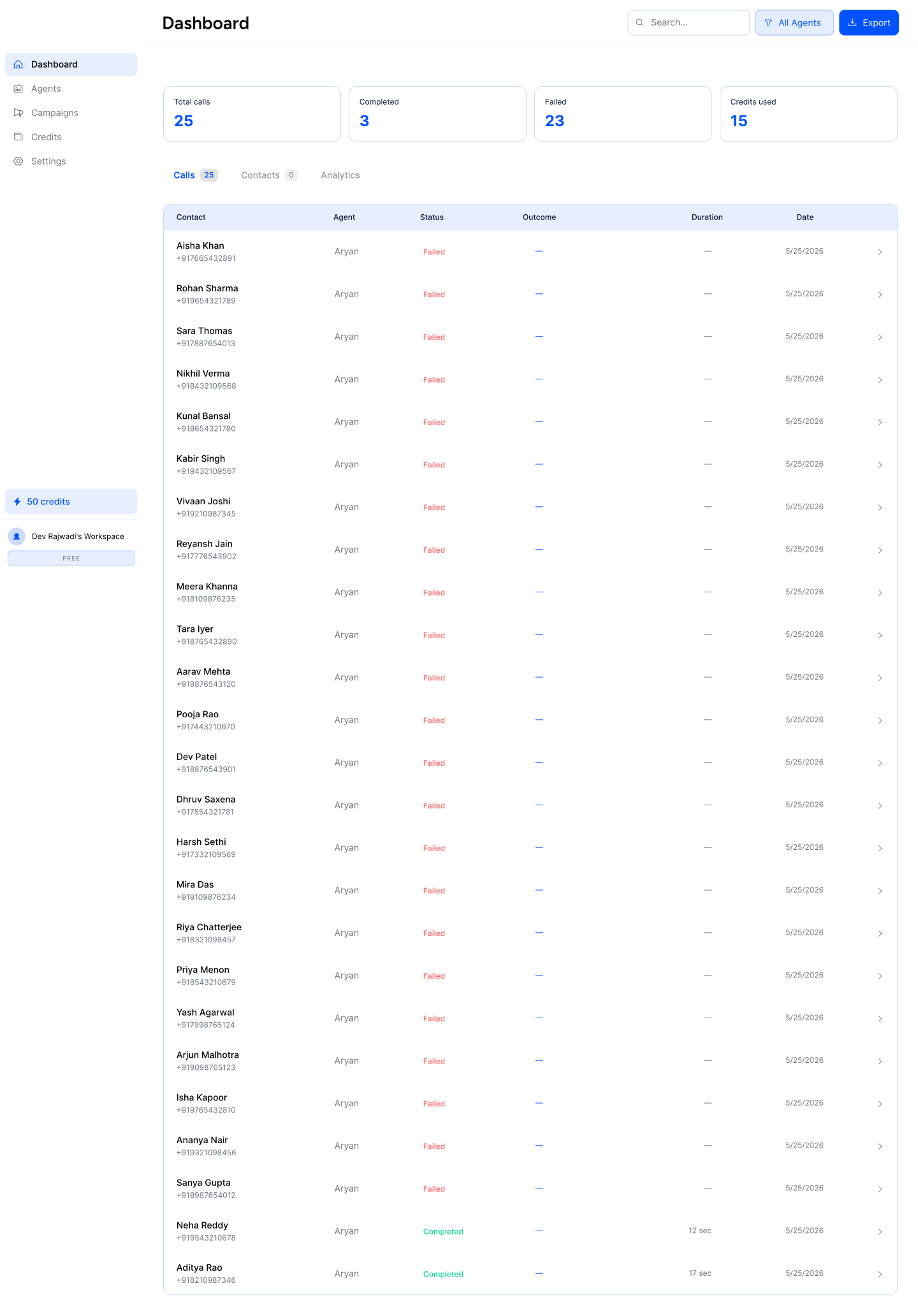
AI Calling Agent is a Voice AI platform designed for teams that manage high-volume outbound calling workflows. The product enables users to create conversational AI agents, launch automated calling campaigns, manage contacts, and monitor campaign execution through a unified dashboard.
The design challenge was to translate a complex, multi-step operational workflow into a workspace that felt clear, structured, and easy to manage at scale. From agent creation and prompt setup to campaign configuration, analytics, and workspace settings, the interface needed to support multiple tasks without overwhelming users.
The platform was designed to create a mature SaaS experience with stronger hierarchy, cleaner information grouping, and more intuitive navigation across complex operational workflows. By organizing agent setup, campaign execution, monitoring, and administrative controls into clearer modules, the product becomes easier to scan, configure, and manage across day-to-day calling operations.
My Role
What I Worked On
- •Designed the end-to-end workflow for creating and editing conversational AI agents, including prompt setup and voice behavior configuration.
- •Structured the outbound campaign creation flow to guide users through agent selection, contact mapping, and campaign setup more clearly.
- •Designed the dashboard experience for monitoring active calls, campaign performance, contacts, and usage analytics.
- •Established a scalable SaaS interface system covering settings, integrations, workspace management, and profile administration.
The Challenge
Configuring a Voice AI platform requires users to manage multiple operational layers at once—from agent behavior and prompt logic to contact lists, phone number provisioning, campaign setup, and execution monitoring. The core challenge was designing a workspace that could support these dense, multi-step workflows without overwhelming users, while still making campaign setup, operational tracking, and AI behavior configuration feel structured and manageable.
Platform Structure & Key Workflows
To make the product easier to understand, the platform was broken into a set of core operational layers: agent creation, campaign setup, live monitoring, workspace administration, and usage management. The following sections walk through each of these product surfaces and show how the overall workflow was structured across the platform.
Platform Scope & Core Modules
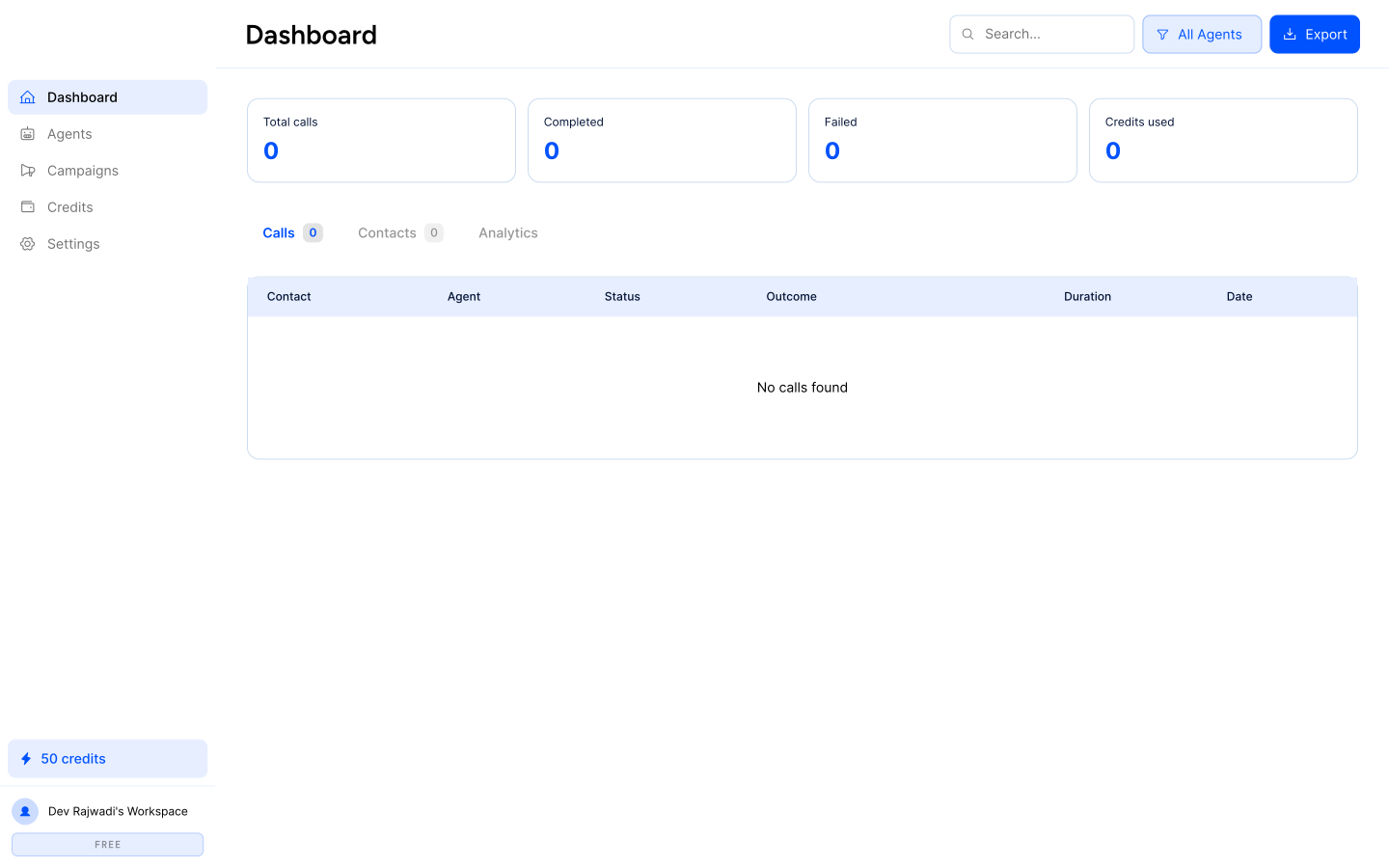
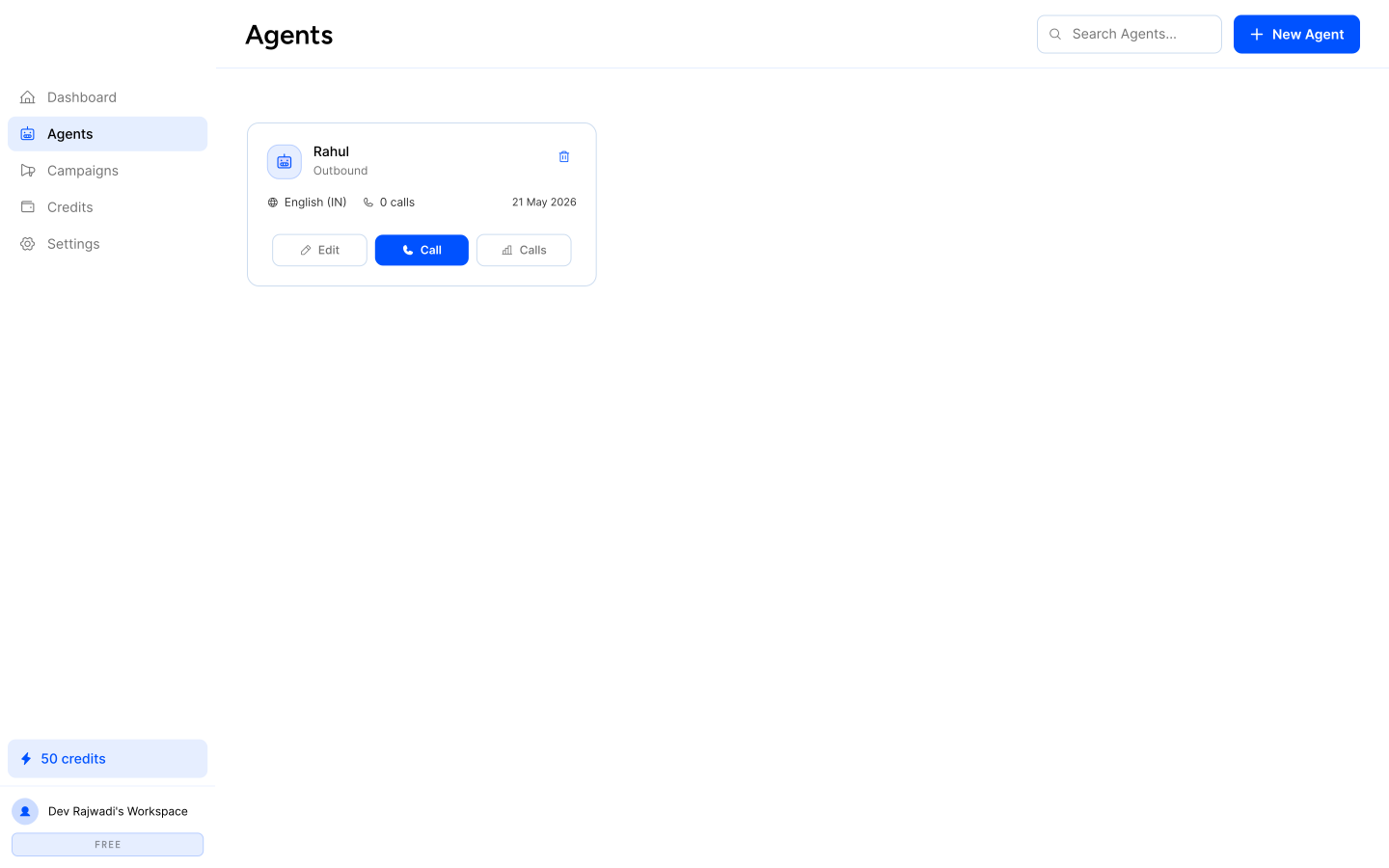
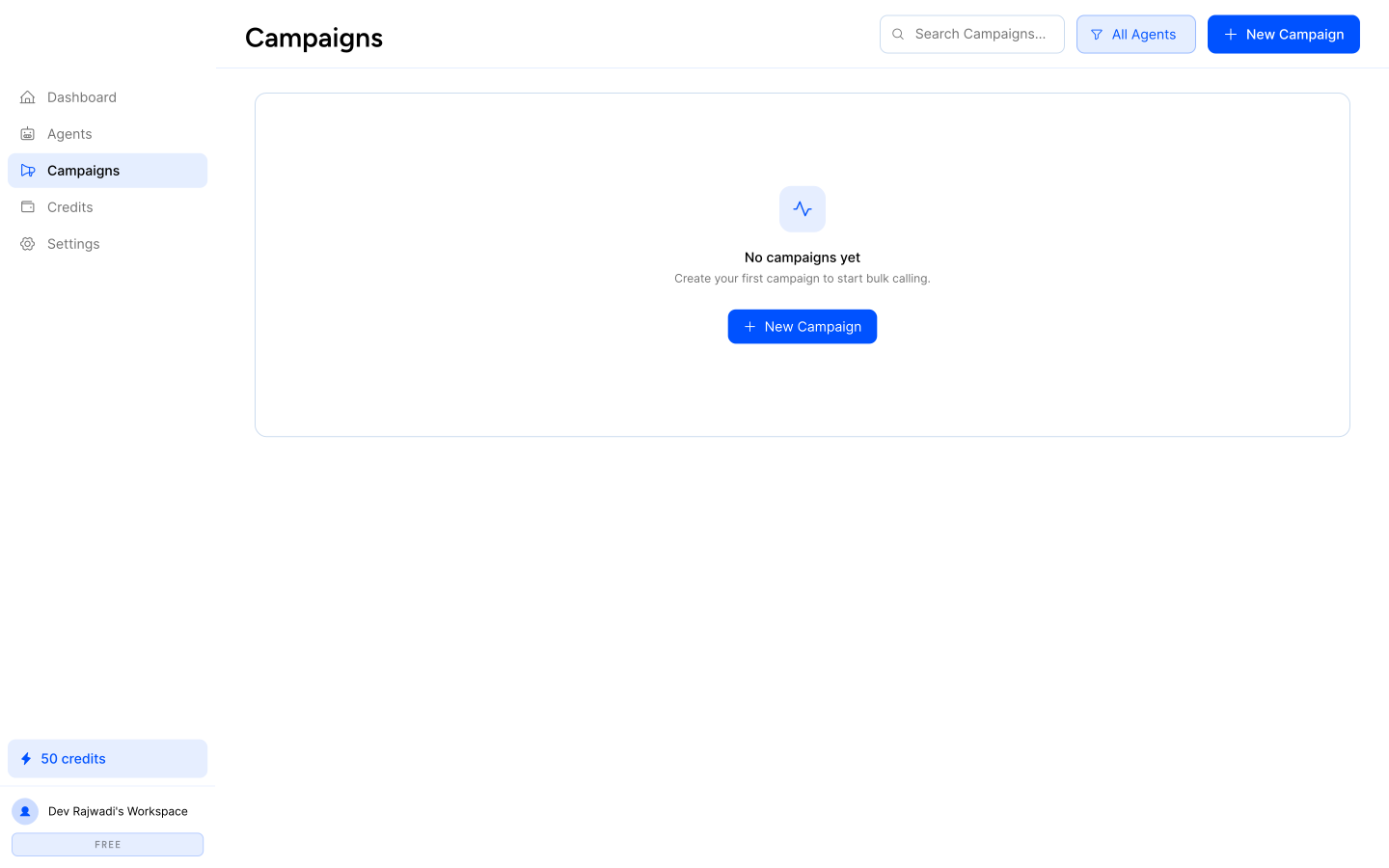
The product was structured into a set of core operational modules that support the outbound calling lifecycle end to end. The dashboard provides campaign and call visibility, the agents workspace handles AI behavior setup, campaigns manages outreach execution, and settings and credits support administration, integrations, and platform usage. This section gives a high-level view of the main product surfaces before diving into the detailed workflows.
Agent Configuration Workflow
The agent configuration workflow was designed to simplify how operators create and refine conversational Voice AI agents. Instead of exposing prompt logic, business context, voice settings, and behavioral controls in a single dense interface, the experience breaks configuration into guided stages that make setup easier to understand, manage, and edit over time.
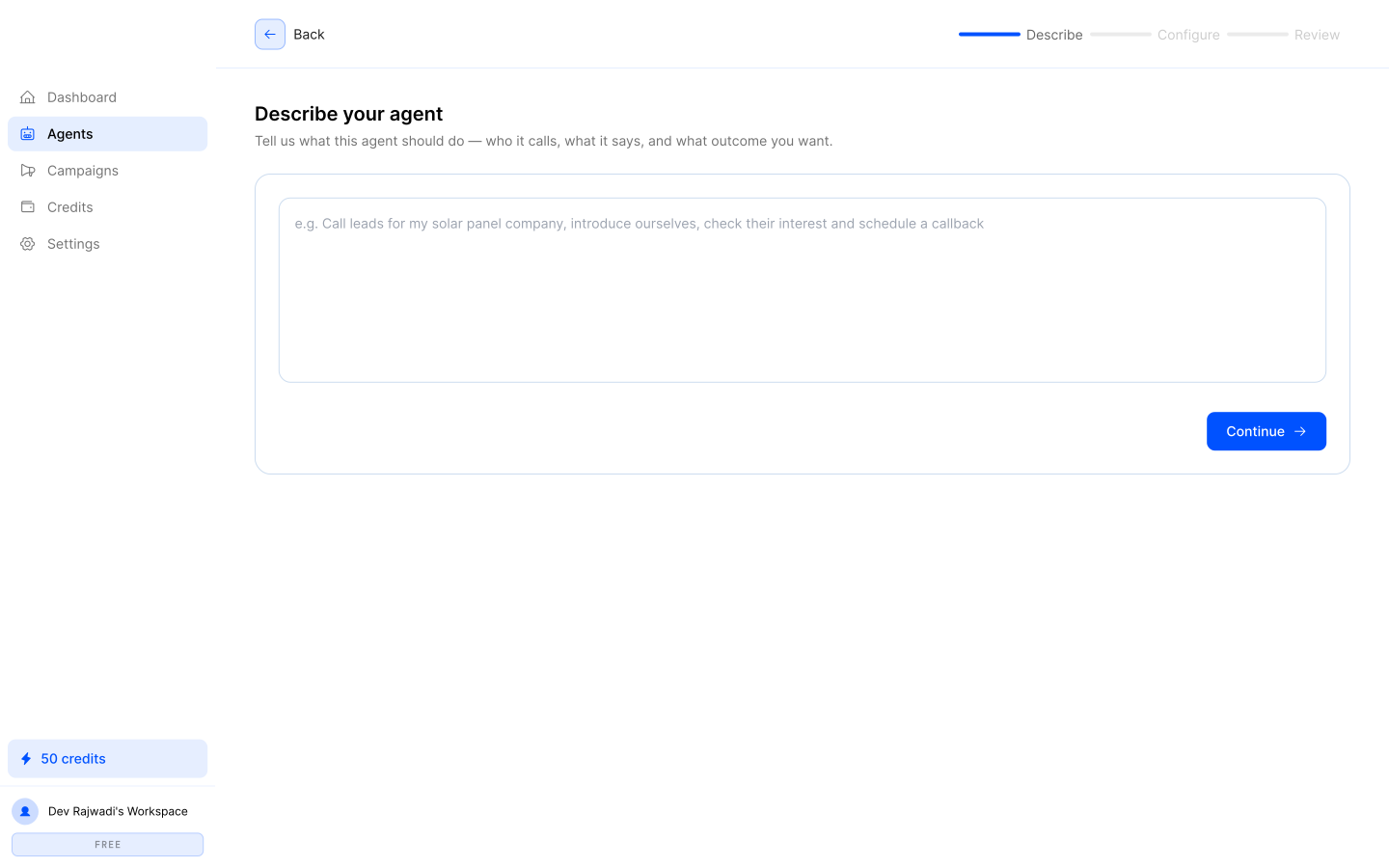
Step 1: Agent Identification
Defining the agent’s role, name, and high-level operational context before deeper configuration begins.
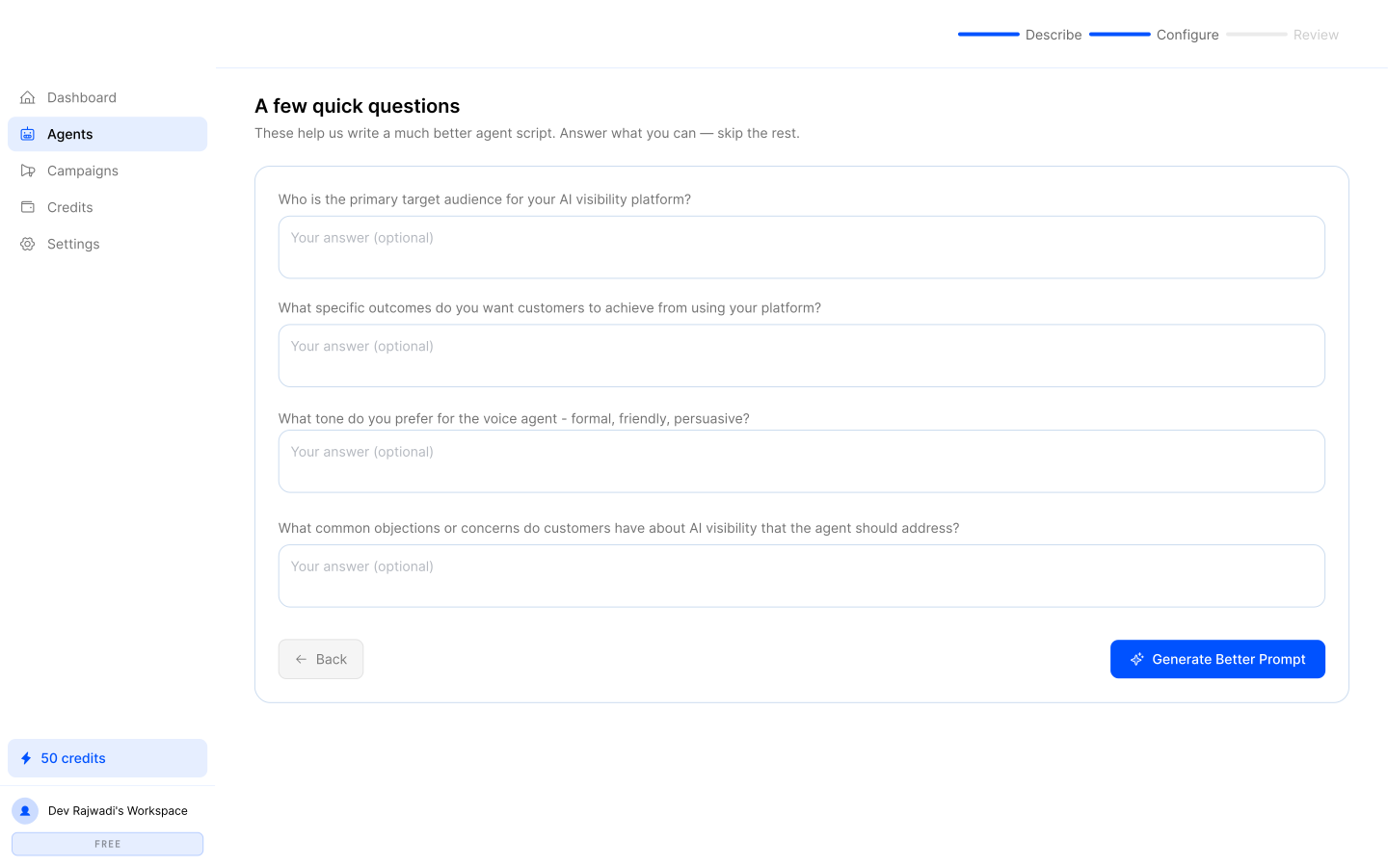
Step 2: Speech & Voice Models
Selecting synthetic voice models, speech rate, and conversational pacing styles for the agent.
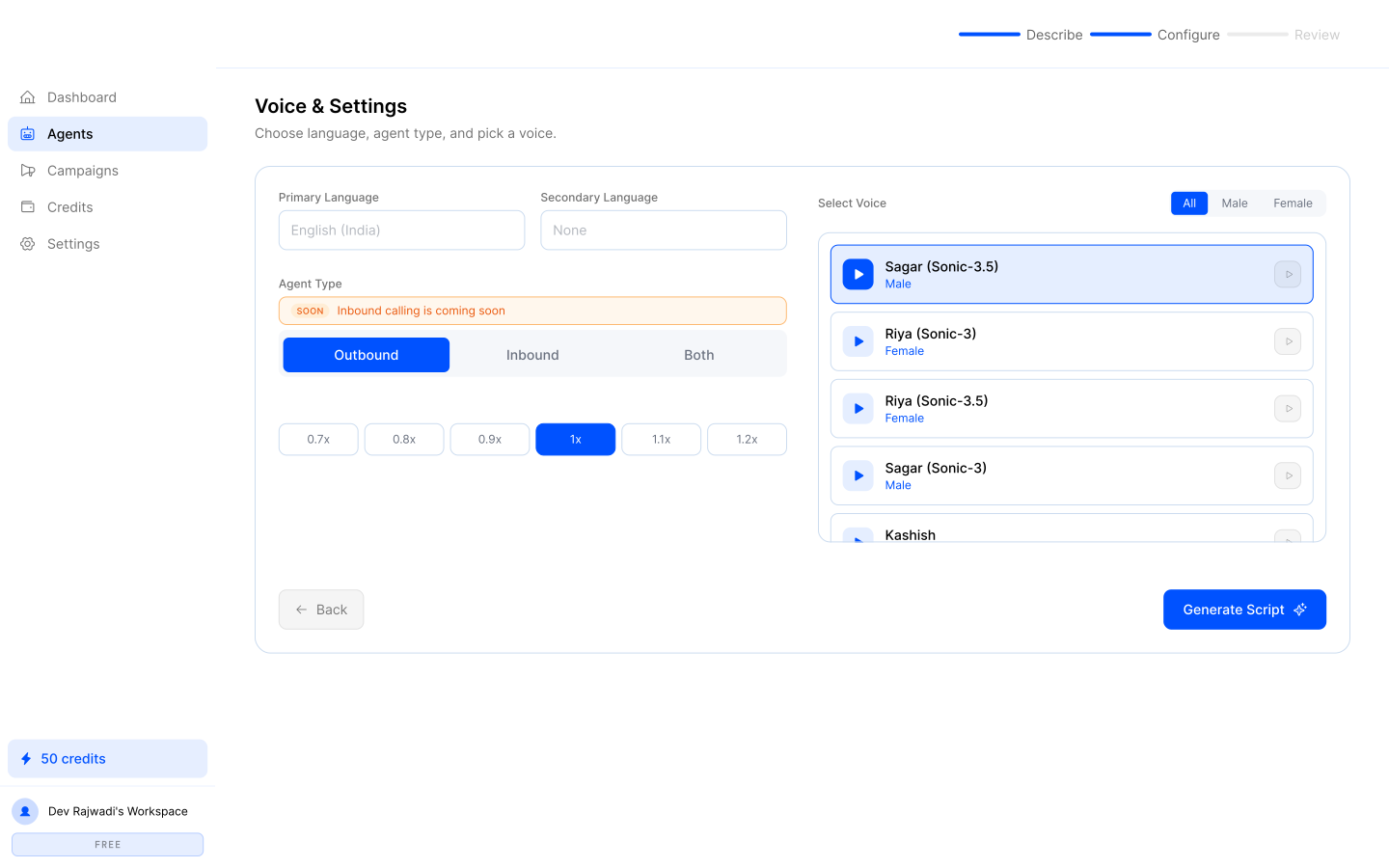
Step 3: Prompts & Instructions
Configuring prompt logic, business context, and core behavioral instructions that shape the conversation flow.
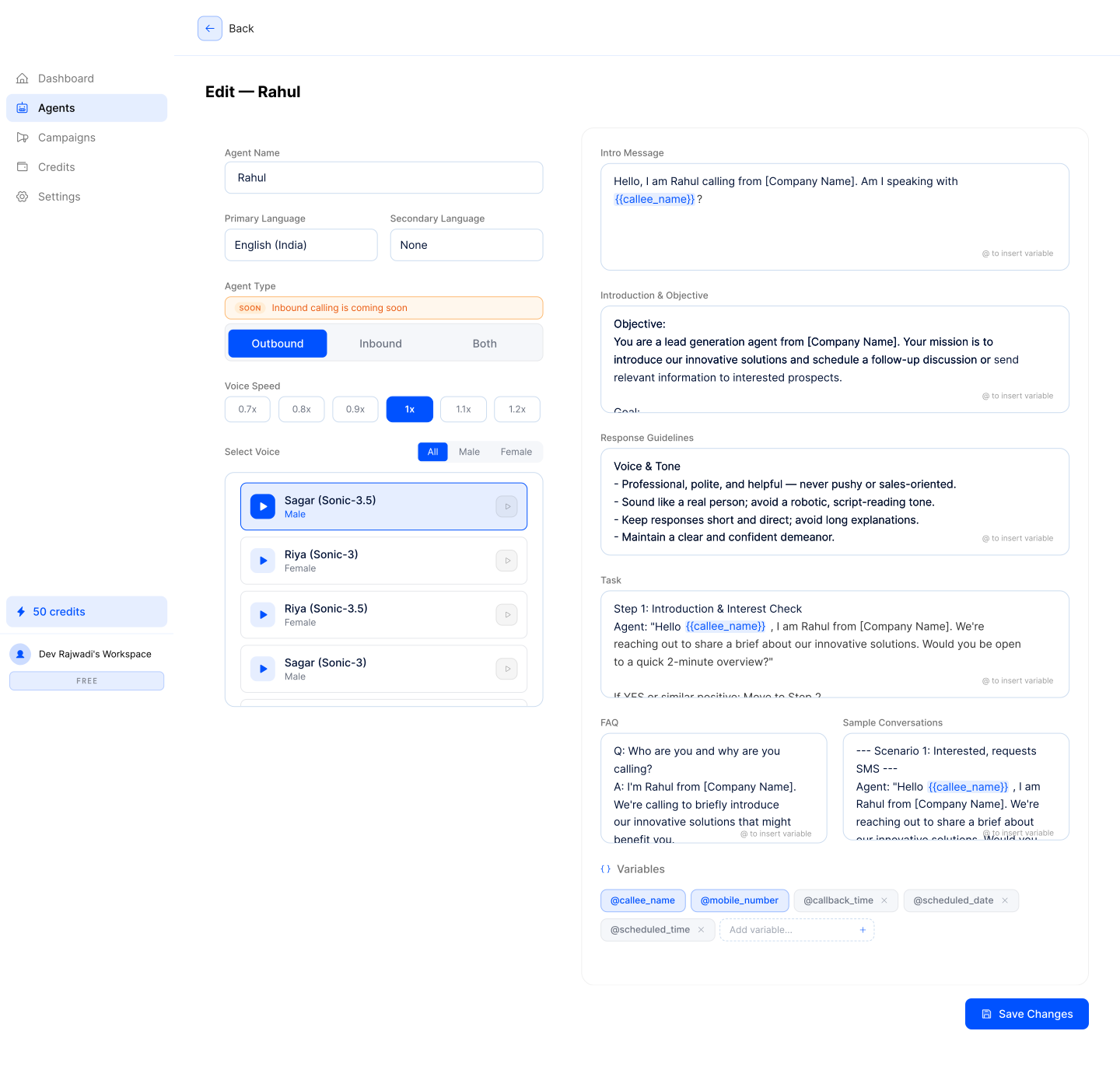
Step 4: Active Configuration Edit
Reviewing, refining, and editing live agent parameters, prompt logic, and operational settings after setup.
Campaign Configuration Workflow
The campaign configuration workflow was designed to help operators turn prepared AI agents and contact data into structured outbound call campaigns. By breaking campaign setup into guided steps—covering agent assignment, contact mapping, pacing, and launch parameters—the flow reduces setup friction and makes large-scale outbound execution easier to control.
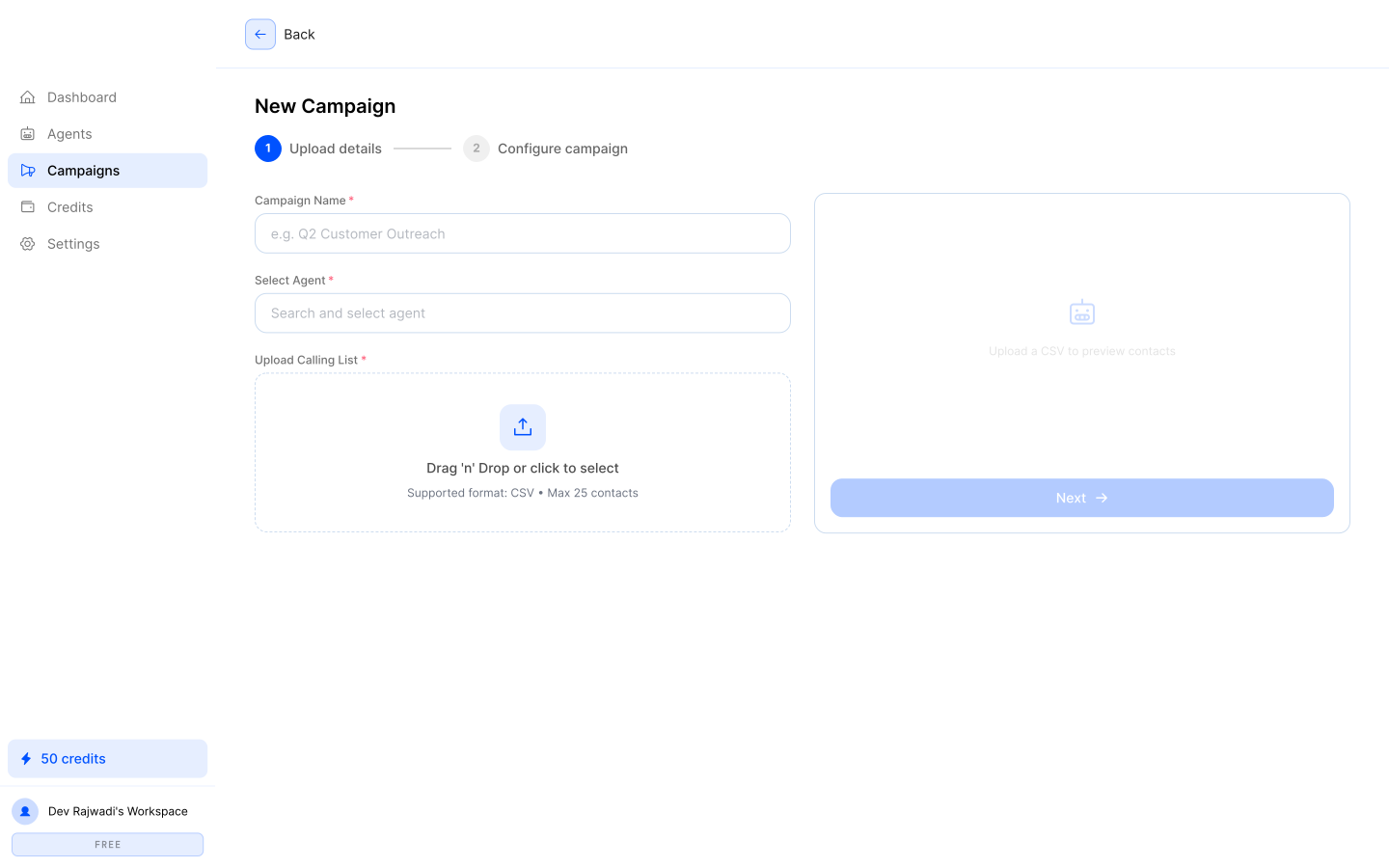
Step 1: Campaign Details
Defining the campaign name, assigning the active voice agent, and setting the initial outreach context.
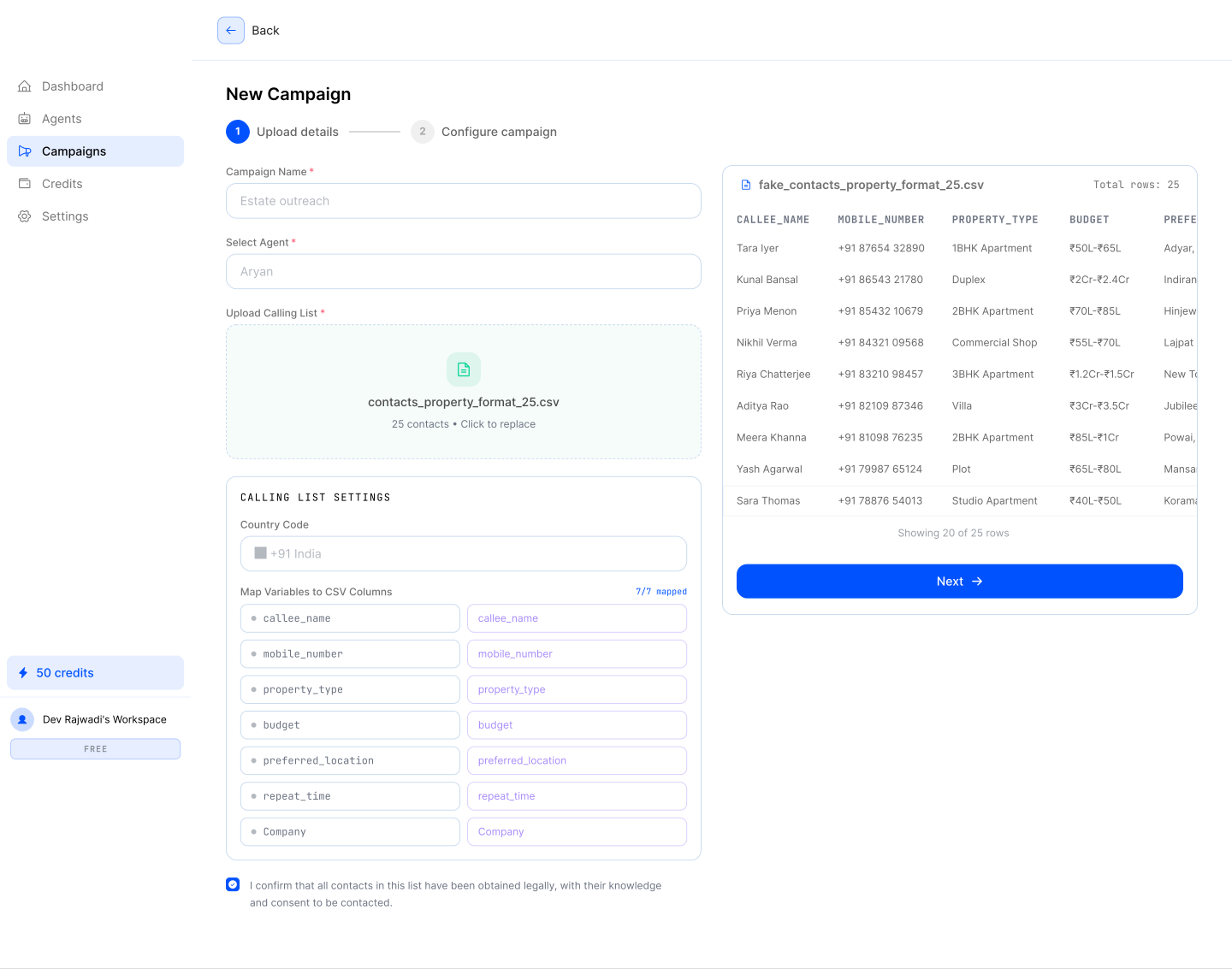
Step 2: Audience Import
Uploading and validating CSV contact lists to structure the outbound dialing queue.
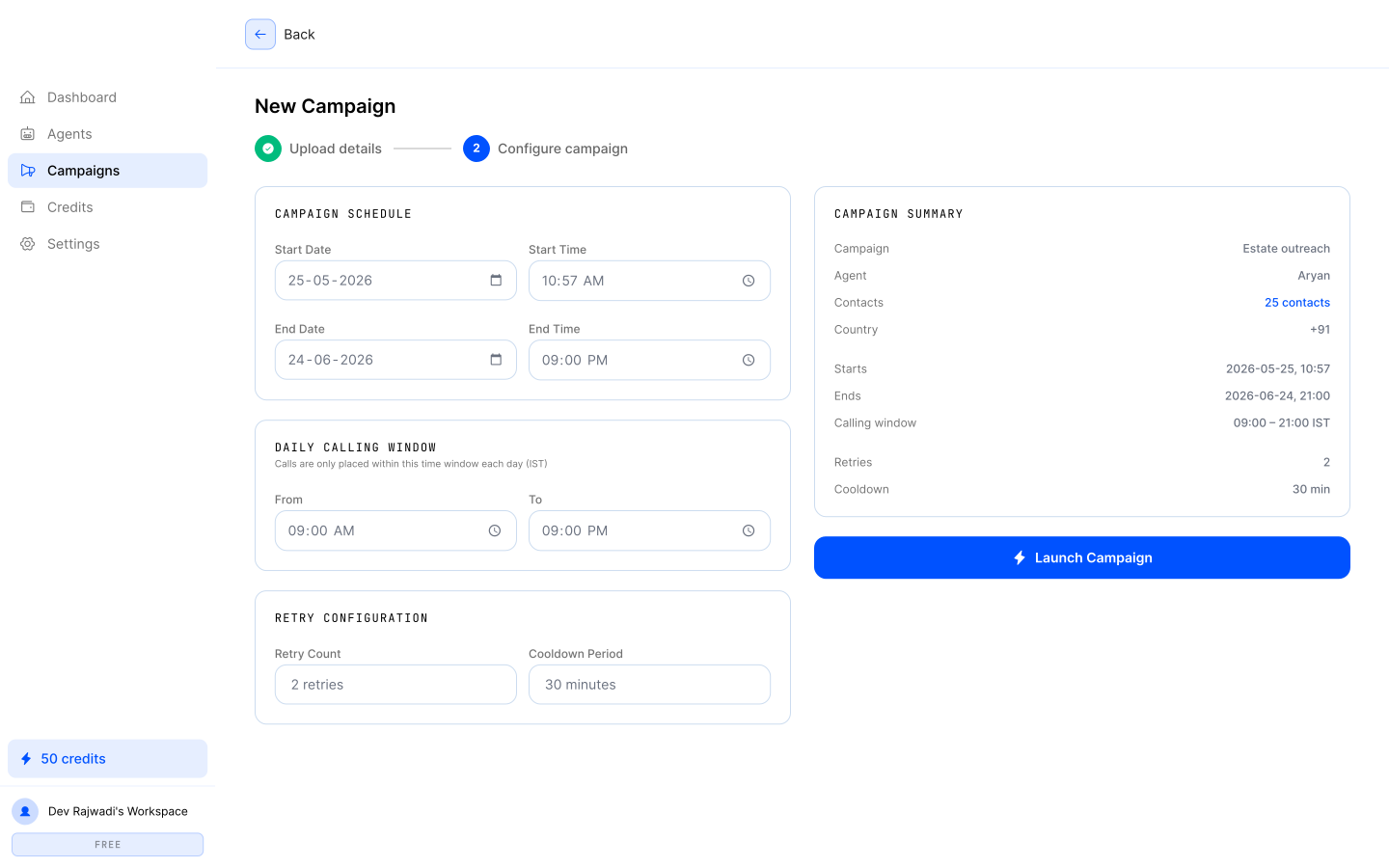
Step 3: Schedule & Pacing
Configuring operating hours, concurrency limits, and campaign pacing for controlled execution.
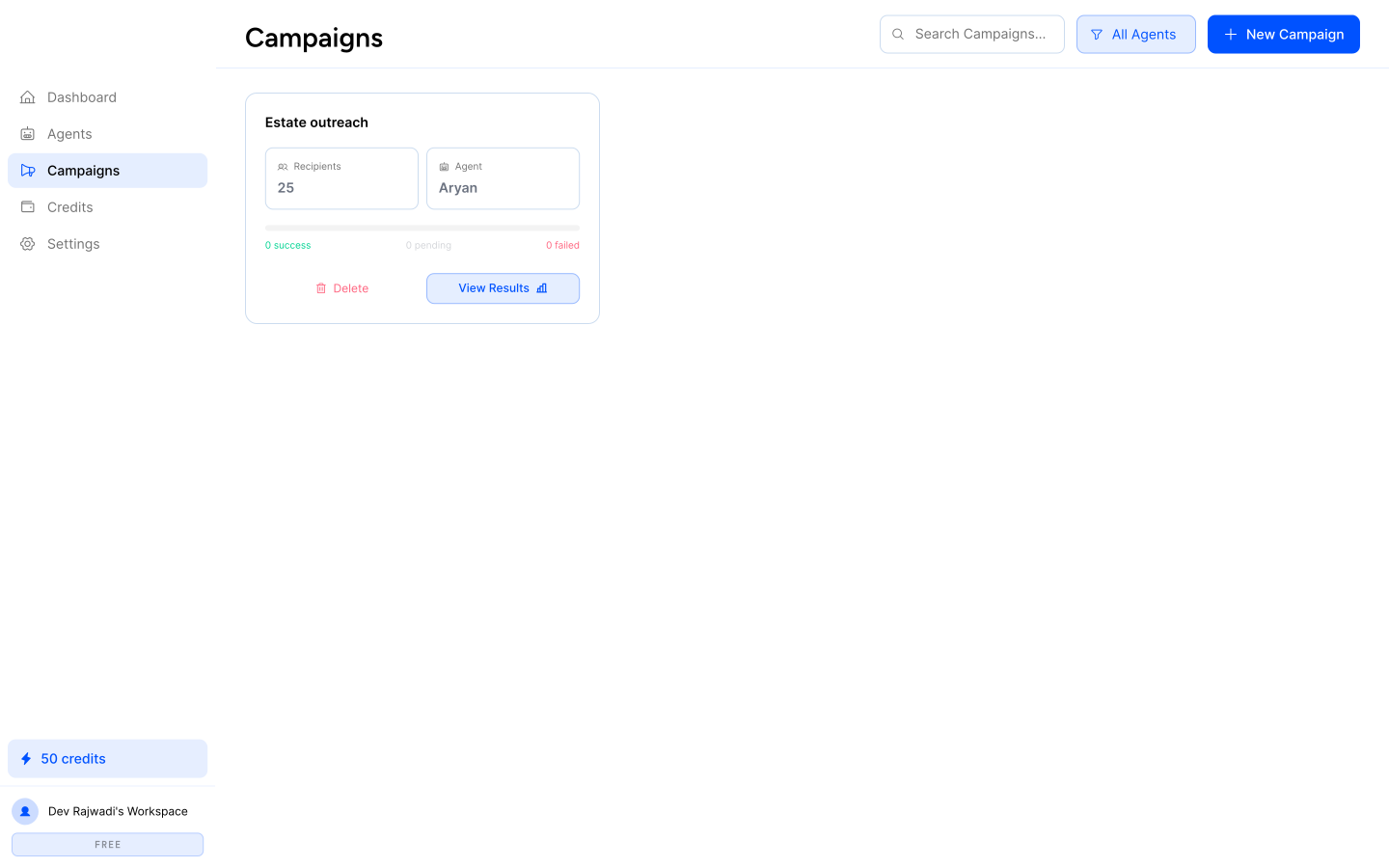
Step 4: Campaigns Directory
Monitoring campaign states, execution logs, and live performance across active outreach flows.
Operations Monitoring Dashboard
The operations dashboard was designed to give teams a centralized view of active calling activity, contact movement, campaign execution, and platform usage. By organizing calls, contacts, and analytics into dedicated monitoring surfaces, the interface helps operators track performance, identify issues, and stay in control of outbound workflows without losing visibility across the system.
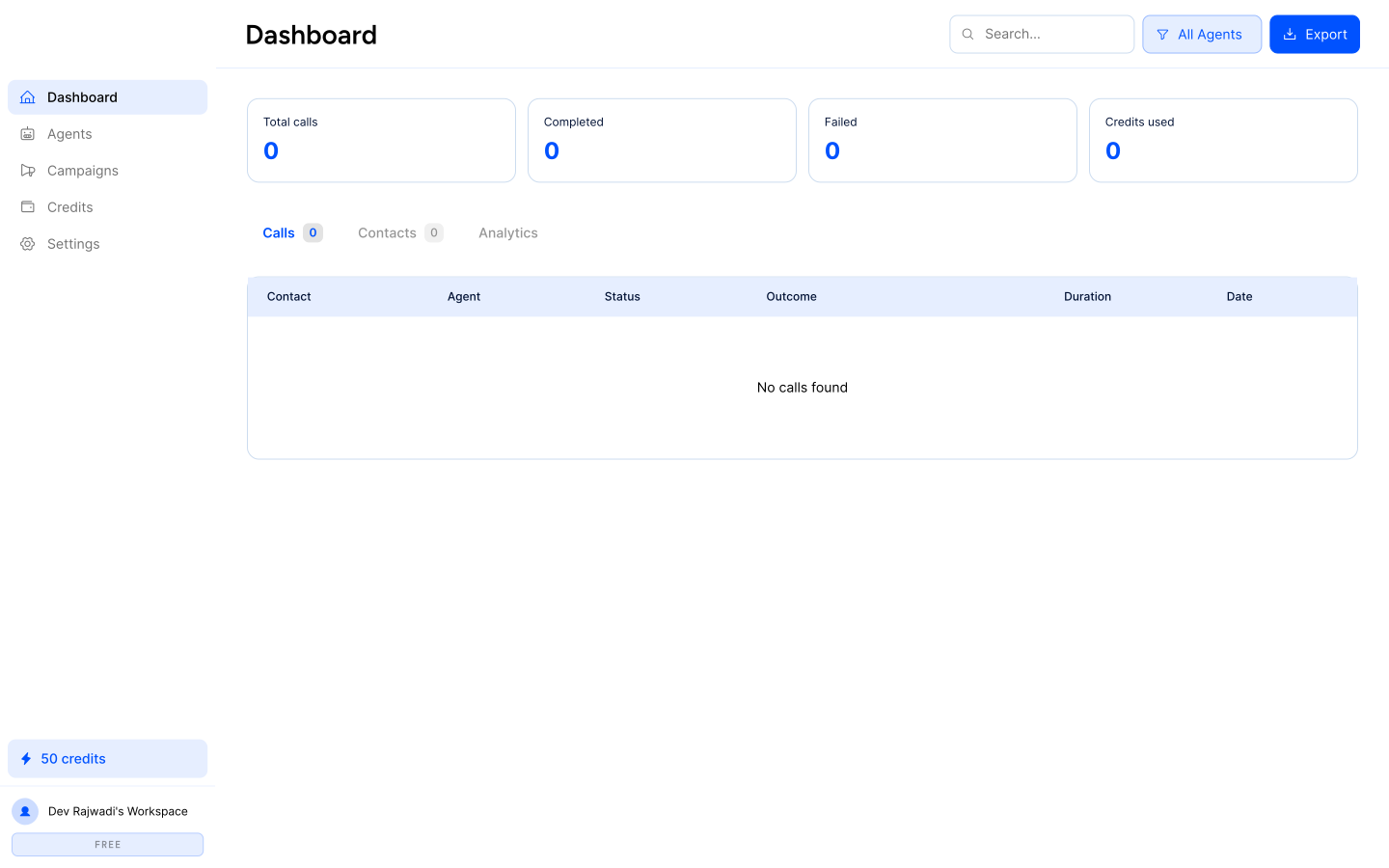
Real-Time Call Analytics
Monitoring live connection states, active callers, and outcome logging across campaigns.
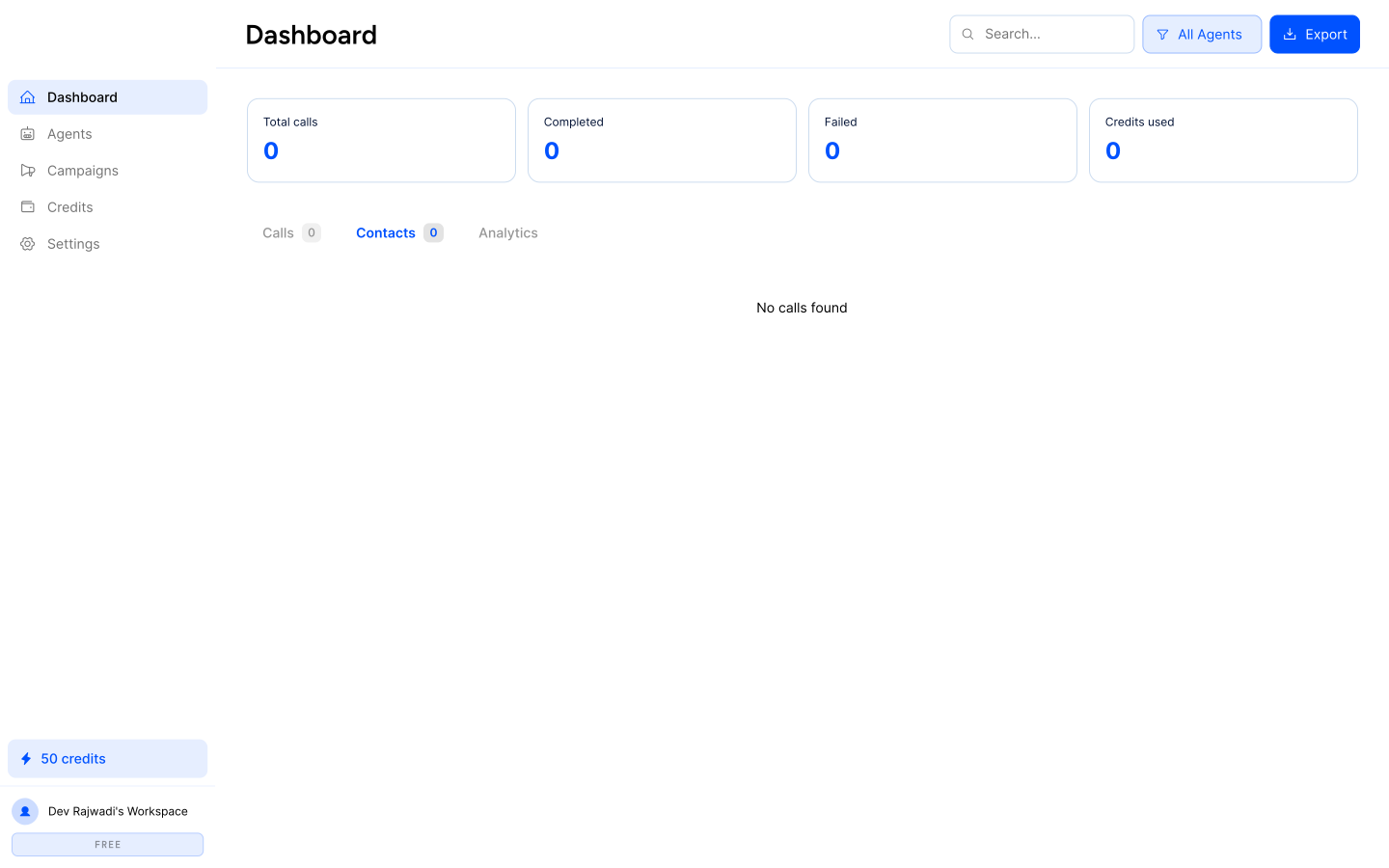
Contacts Directory
Managing audience records, validation logs, and contact-level metadata used across outbound workflows.
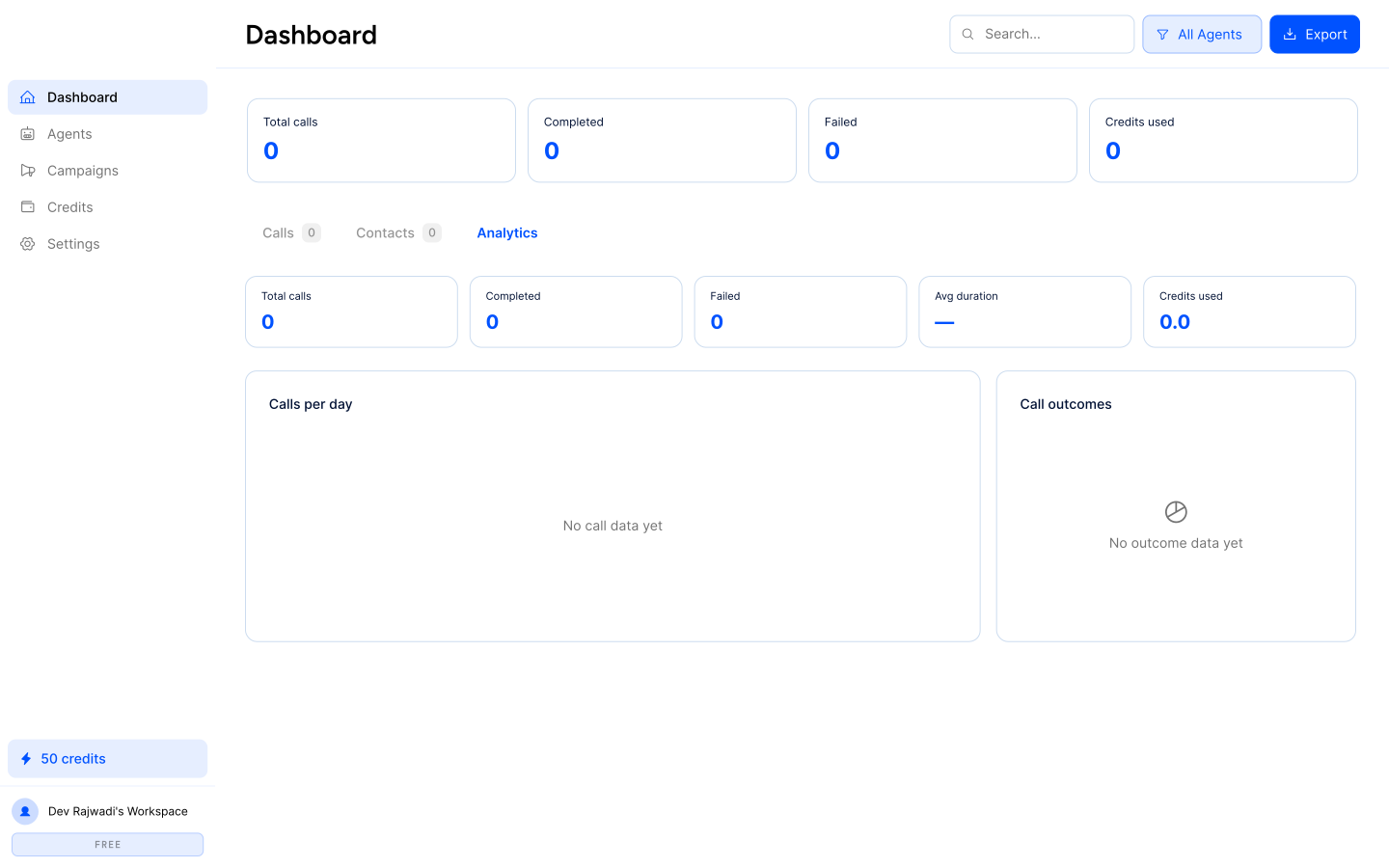
Usage Analytics Overview
Visualizing call activity, duration, success rates, and credit consumption over time.
Workspace Settings & Integrations
The platform includes a dedicated settings layer for managing workspace configuration, connected integrations, user preferences, and system-level controls. These surfaces were designed to keep administrative tasks accessible without interfering with the core calling workflows, giving operators a clear place to manage the environment around campaigns and agents.
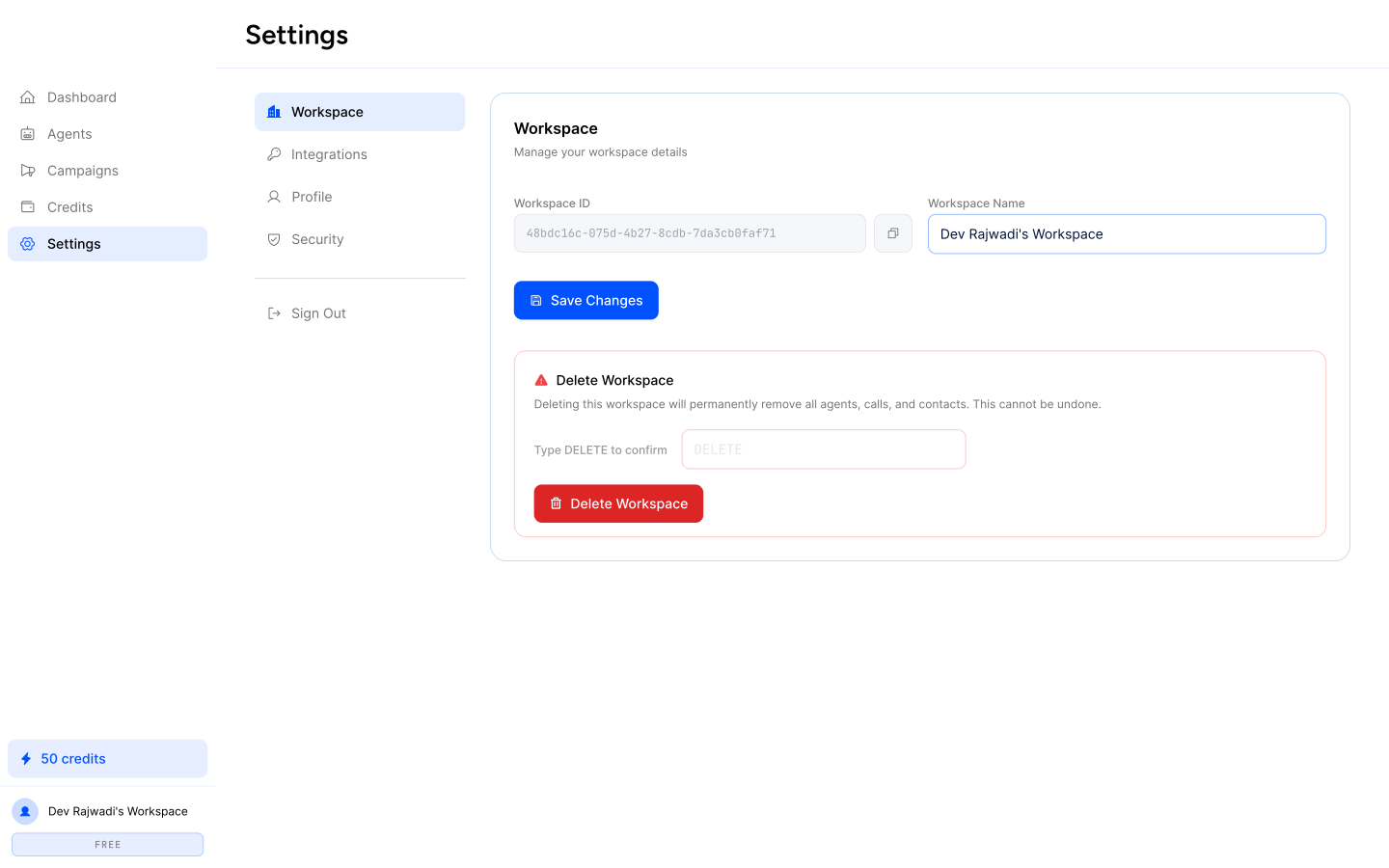
Workspace Settings
Managing organization details, timezone defaults, and workspace-level operational preferences.
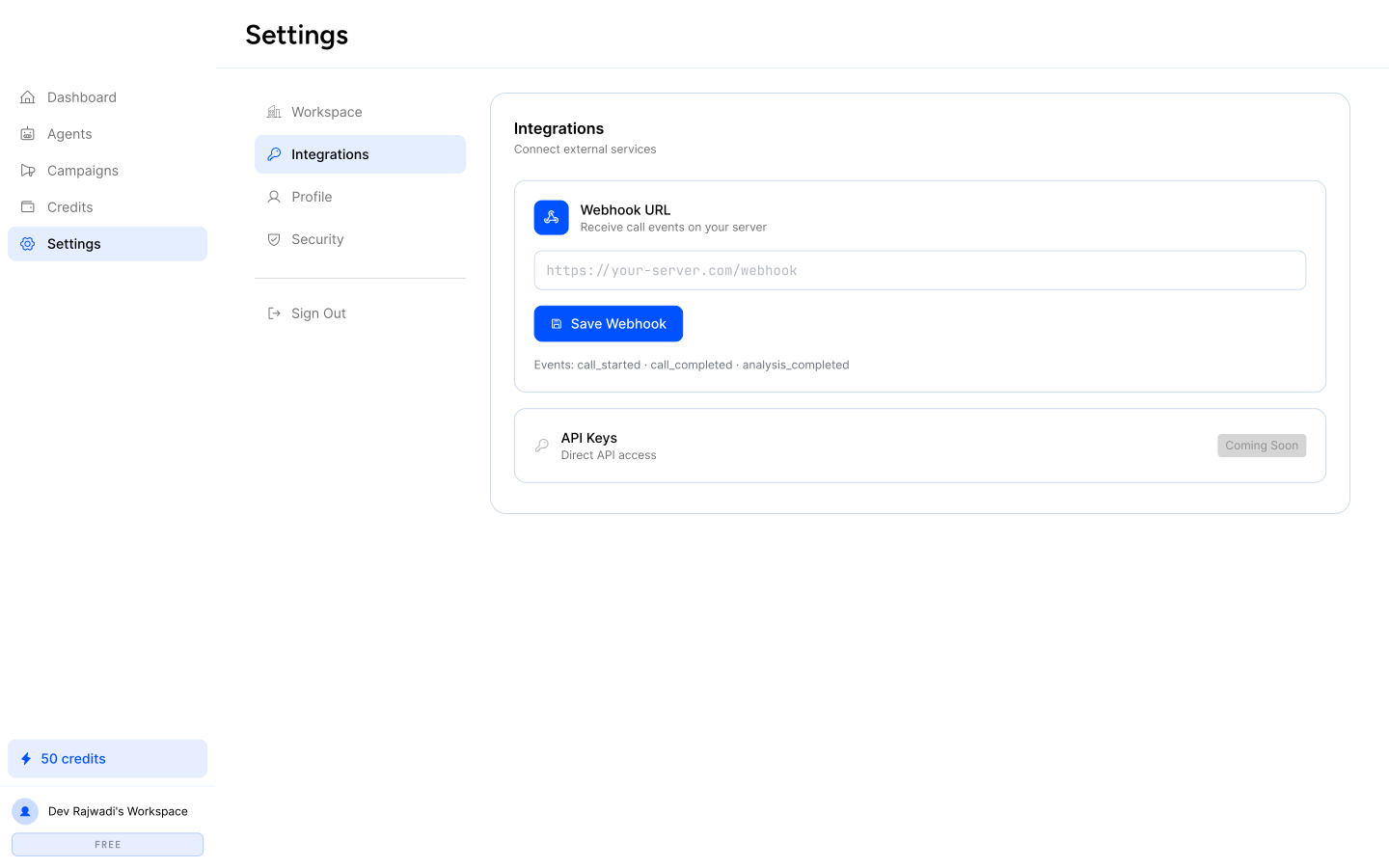
CRM & API Integrations
Connecting external systems like Salesforce or HubSpot to sync contact and call data automatically.
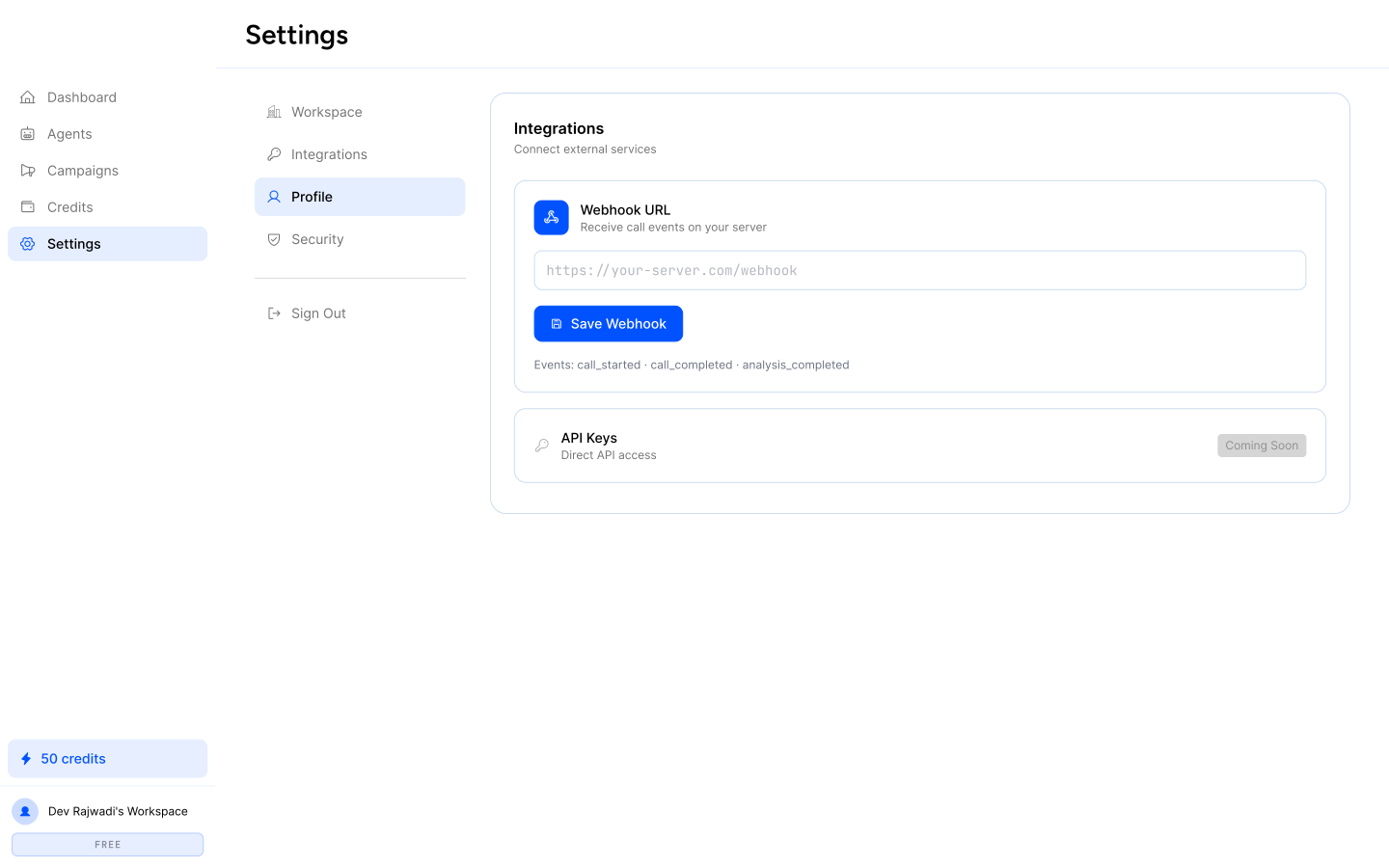
Member Profile
Managing account details, role permissions, and operator-level preferences inside the workspace.
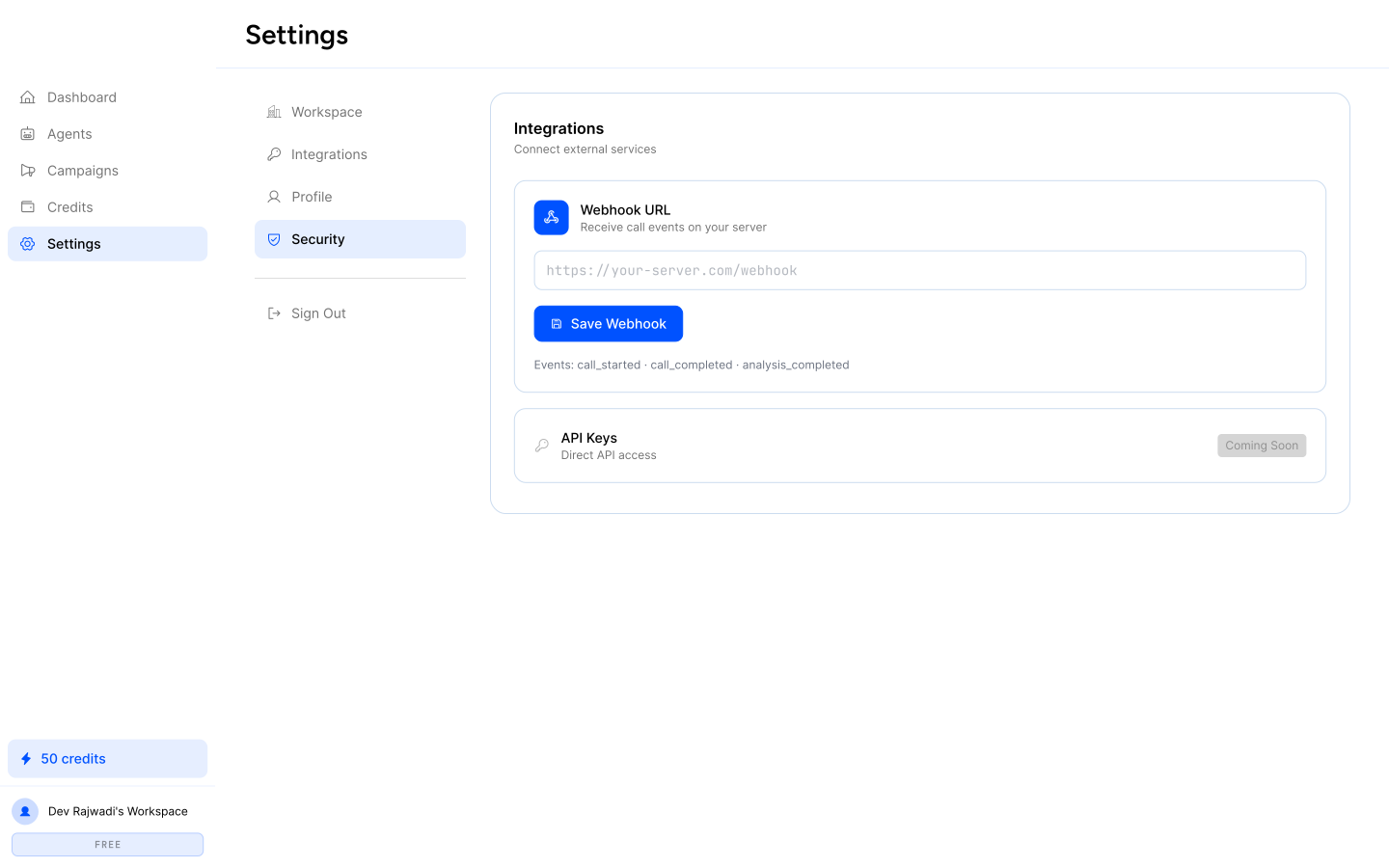
Account Security
Enabling two-factor authentication, access controls, and security-related account settings.
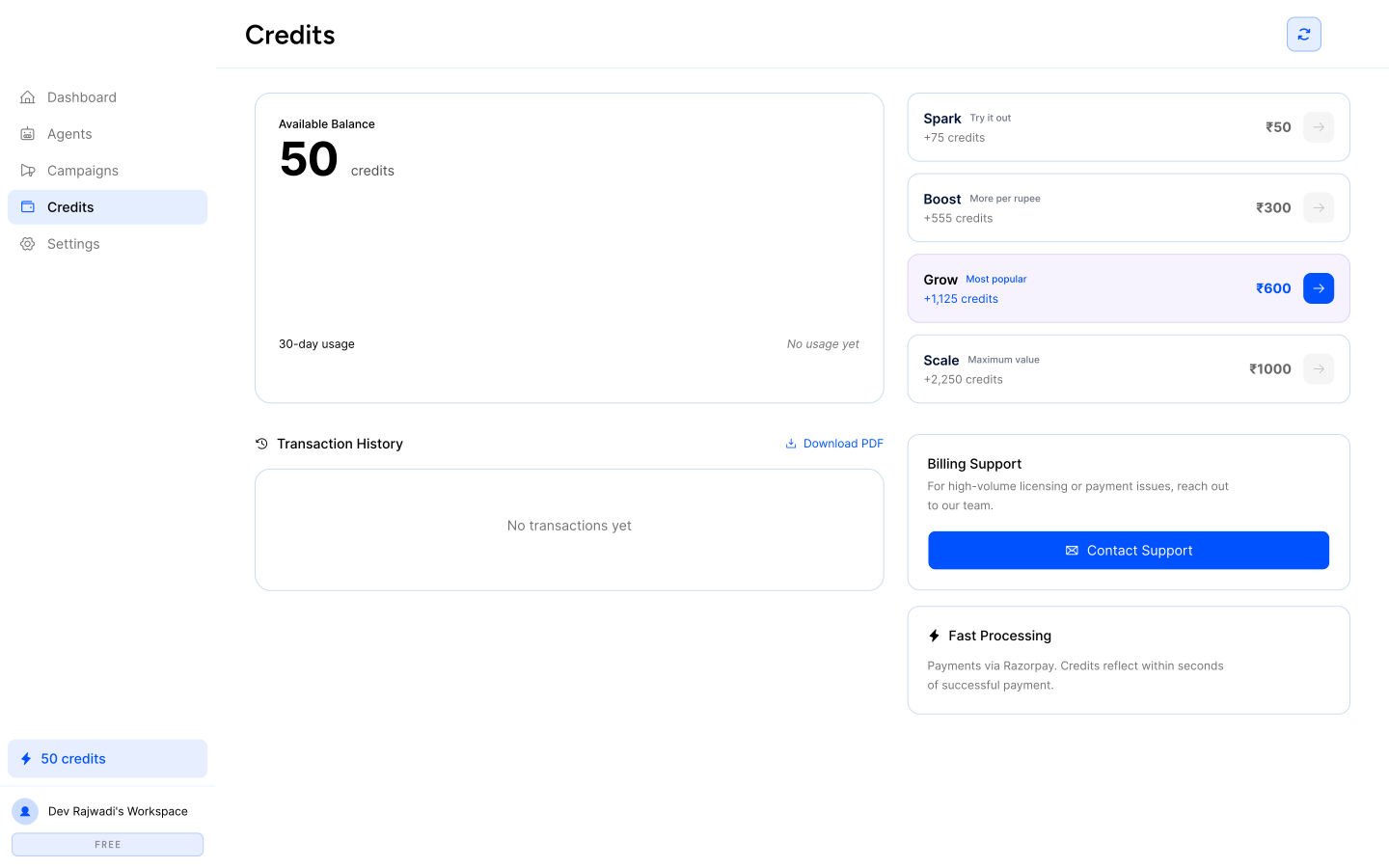
Usage & Credit Management
A dedicated credits surface gives operators visibility into balance, recharge plans, transaction history, and platform usage. Keeping usage and billing separate from campaign workflows helps maintain operational clarity while still making account consumption easy to track.
Quick-Action Modals & Call Review
In addition to the primary dashboard and campaign workflows, the platform includes lightweight modal surfaces for quick outbound actions and post-call review. These overlays allow operators to initiate one-off calls, inspect call outcomes, review transcripts, and access AI-generated summaries without leaving the main workspace.
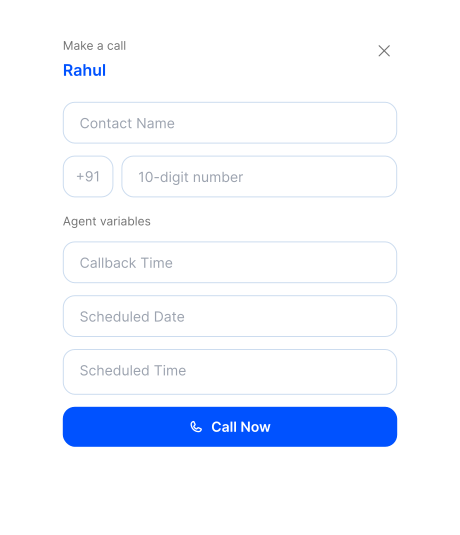
Manual Call Entry Modal
A compact quick-action surface for entering contact details, assigning variables, and triggering one-off outbound calls without leaving the main workspace.
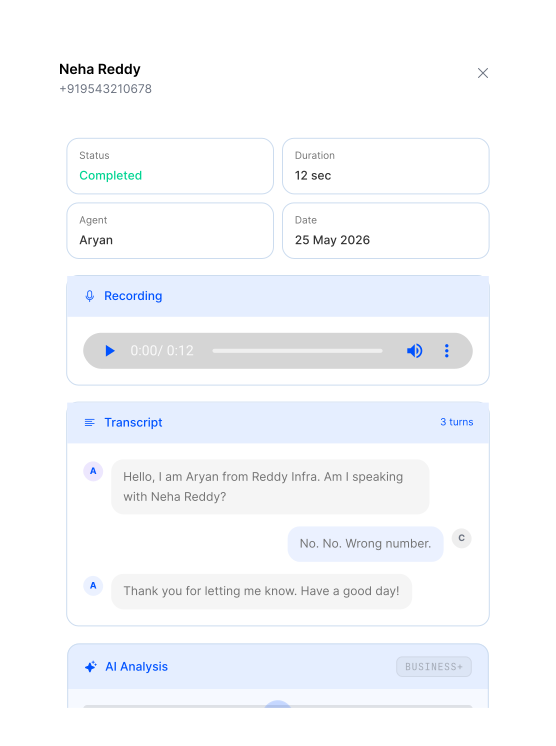
Call Review & Transcript Modal
A post-call review surface for inspecting call outcomes, transcript logs, playback details, and AI-generated summaries in a focused overlay.
Outcome & Learnings
The project resulted in a structured Voice AI workspace that supports the full outbound calling lifecycle—from configuring AI agents and preparing campaigns to monitoring execution, managing usage, and maintaining workspace settings. By organizing the platform into focused modules and guided workflows, the product becomes easier to navigate, configure, and operate across day-to-day calling tasks.
Key Learnings
- ✓Multi-step Voice AI workflows need clear modular separation; combining agent logic, campaign setup, and monitoring in a single layer quickly increases cognitive load.
- ✓Agent and campaign configuration flows benefit from progressive disclosure, where complex decisions are broken into smaller guided steps.
- ✓Operational dashboards should prioritize visibility and actionability over decorative density, especially when teams need to monitor calls, contacts, and analytics simultaneously.
- ✓Administrative surfaces such as settings, integrations, and credit management work best when they remain accessible but visually separate from primary execution workflows.