BBW
Startup Operating System
Industry
Enterprise SaaS / Workspace
Role
Product Designer
Duration
1 Week
Year
2025
Overview
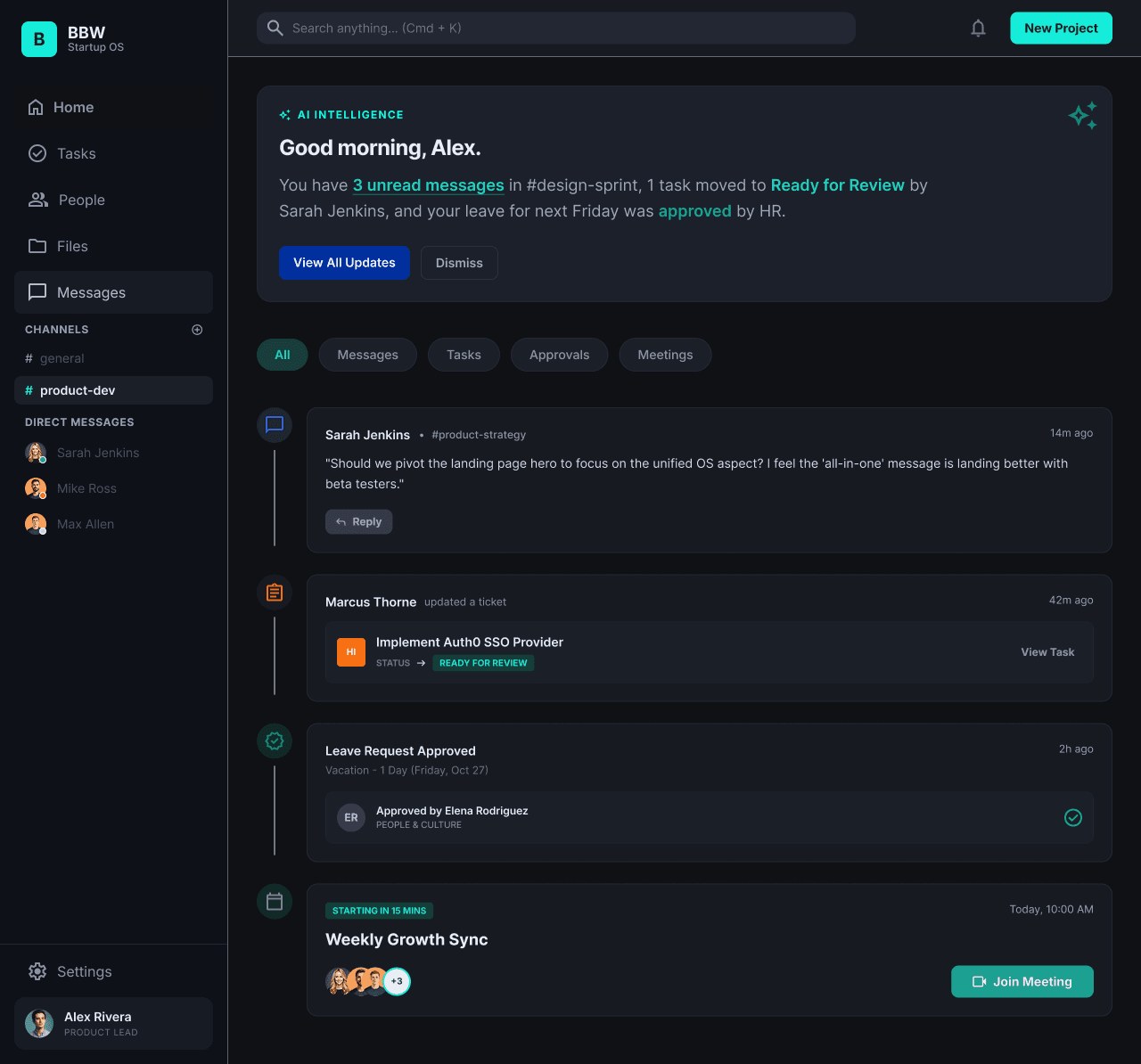
BBW was designed as a startup operating system for teams juggling updates, decisions, tasks, and internal communication across too many disconnected tools. Instead of treating chat, work tracking, and team visibility as separate products, the goal was to bring them into one shared workspace where day-to-day execution feels more connected and easier to navigate.
My Role
What I Worked On
- •Designed the core workspace dashboard for updates, approvals, meetings, and team activity
- •Structured contextual sidebar navigation for channels, direct messages, and workspace modules
- •Built the universal search flow to reduce friction across tasks, people, files, and conversations
The Problem
Startups operate in a state of high velocity where alignment is critical, yet their workflows are fragmented across multiple browser tabs and isolated tools. Important discussions vanish in chat logs, task tracking is decoupled from conversations, and context is lost, slowing down decision-making.
Final Interface Designs
The final interface brings updates, communication, and task visibility into one workspace so teams can move through day-to-day work without losing context across scattered tools.
Home Workspace
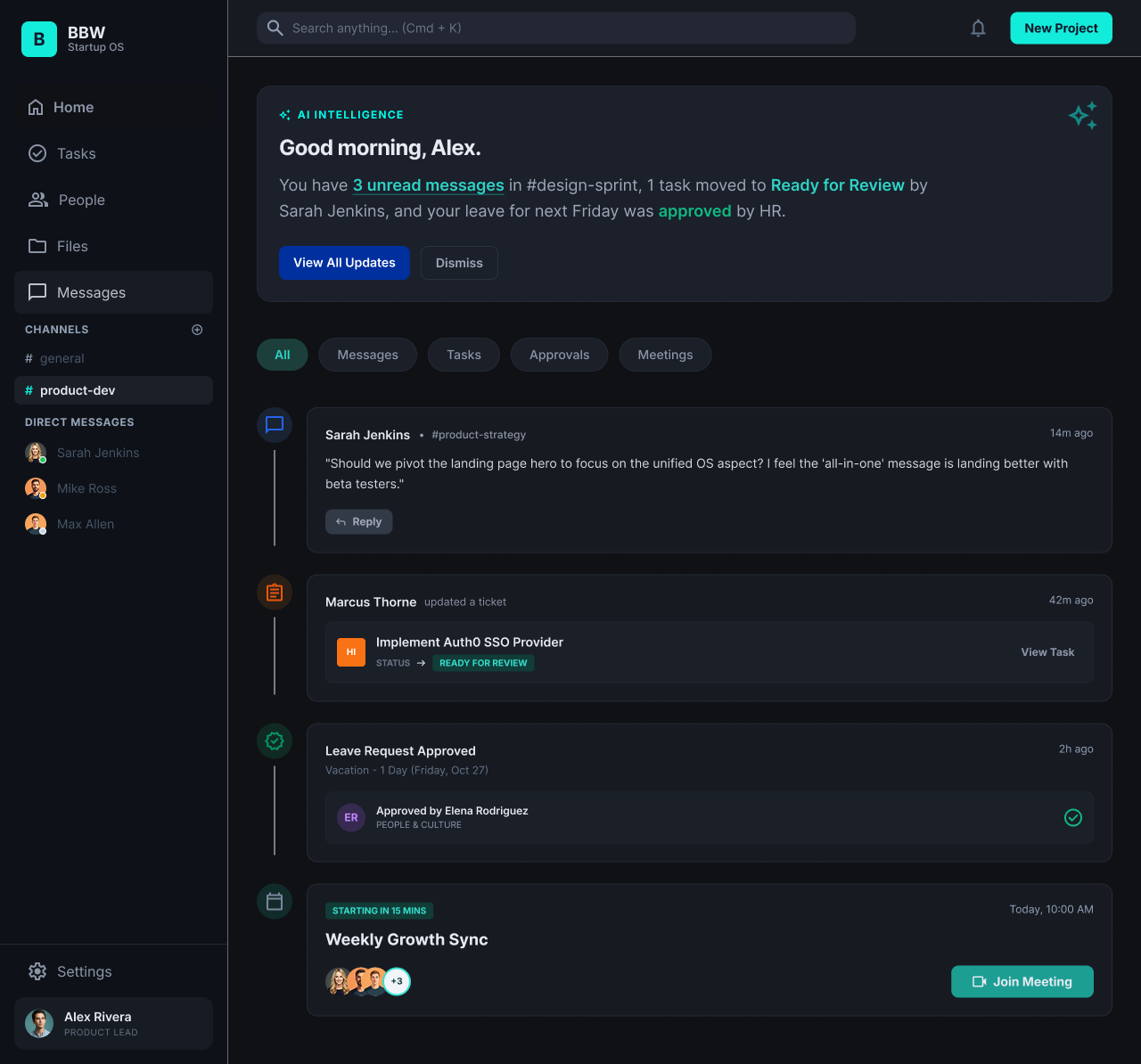
A daily operating dashboard that brings together task updates, approvals, upcoming meetings, and AI-powered briefings in one place.
Messaging & Collaboration
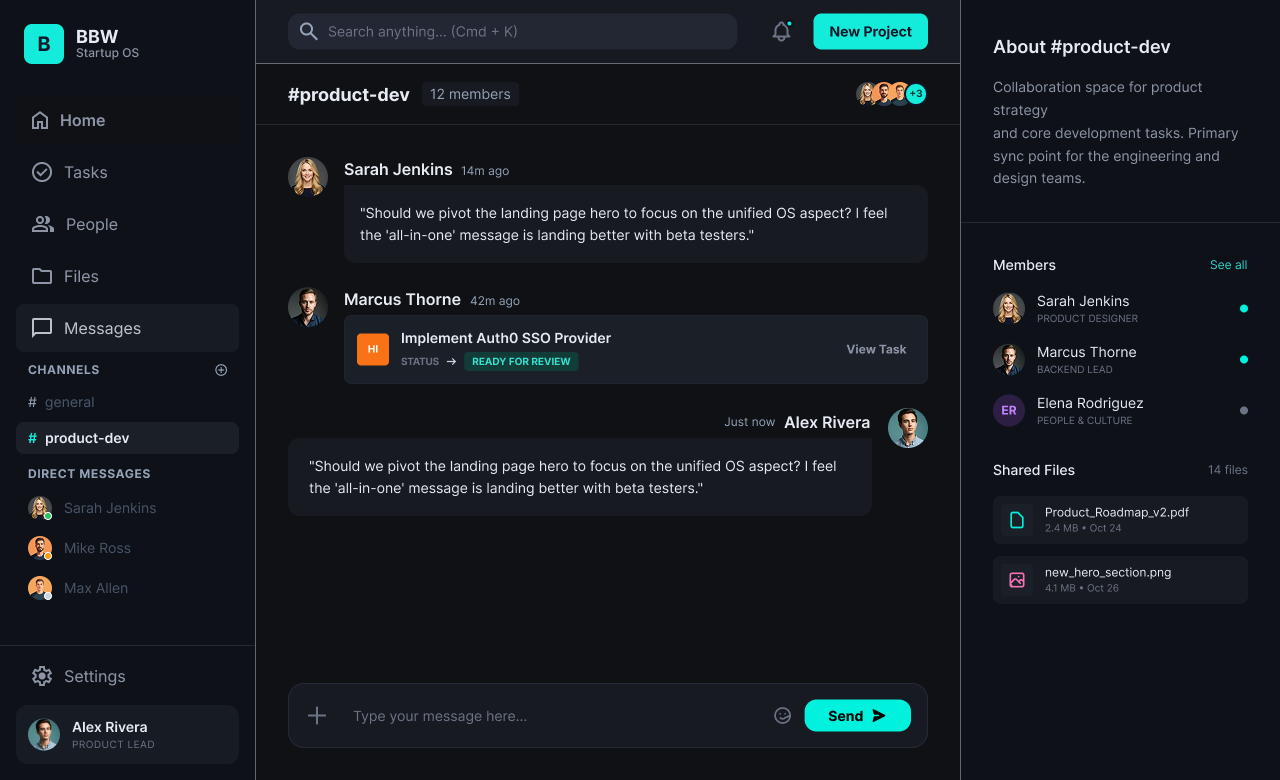
A channel-based workspace for ongoing team discussions, paired with a contextual side panel for members, shared files, and project information.
Universal Command Search
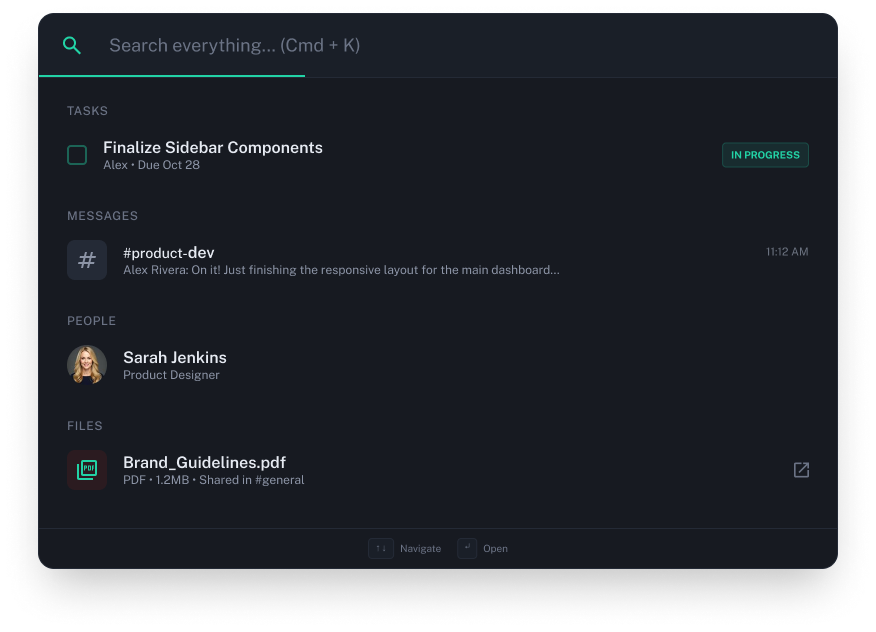
A keyboard-first search layer that helps users instantly jump across tasks, conversations, people, and files from a single entry point.
Outcome & Learnings
BBW brought communication, tasks, and search into a single workspace designed to reduce context switching for startup teams. By connecting conversations directly with task workflows and shared resources, the product explored how an integrated operating system can feel both powerful and easy to navigate.
Key Learnings
- ✓Consolidation is not about adding more features, but about creating clearer relationships between communication, tasks, and information.
- ✓High-density SaaS interfaces rely on strong hierarchy, spacing, and restraint to stay usable.
- ✓Command search works best when treated as a core navigation layer, not an advanced utility.
- ✓Contextual side panels can reduce friction by keeping files, members, and project details within the flow of conversation.