SignSetu
Adult Learning Interface Redesign
Industry
EdTech
Role
UI/UX Designer
Duration
4 Days
Year
2025
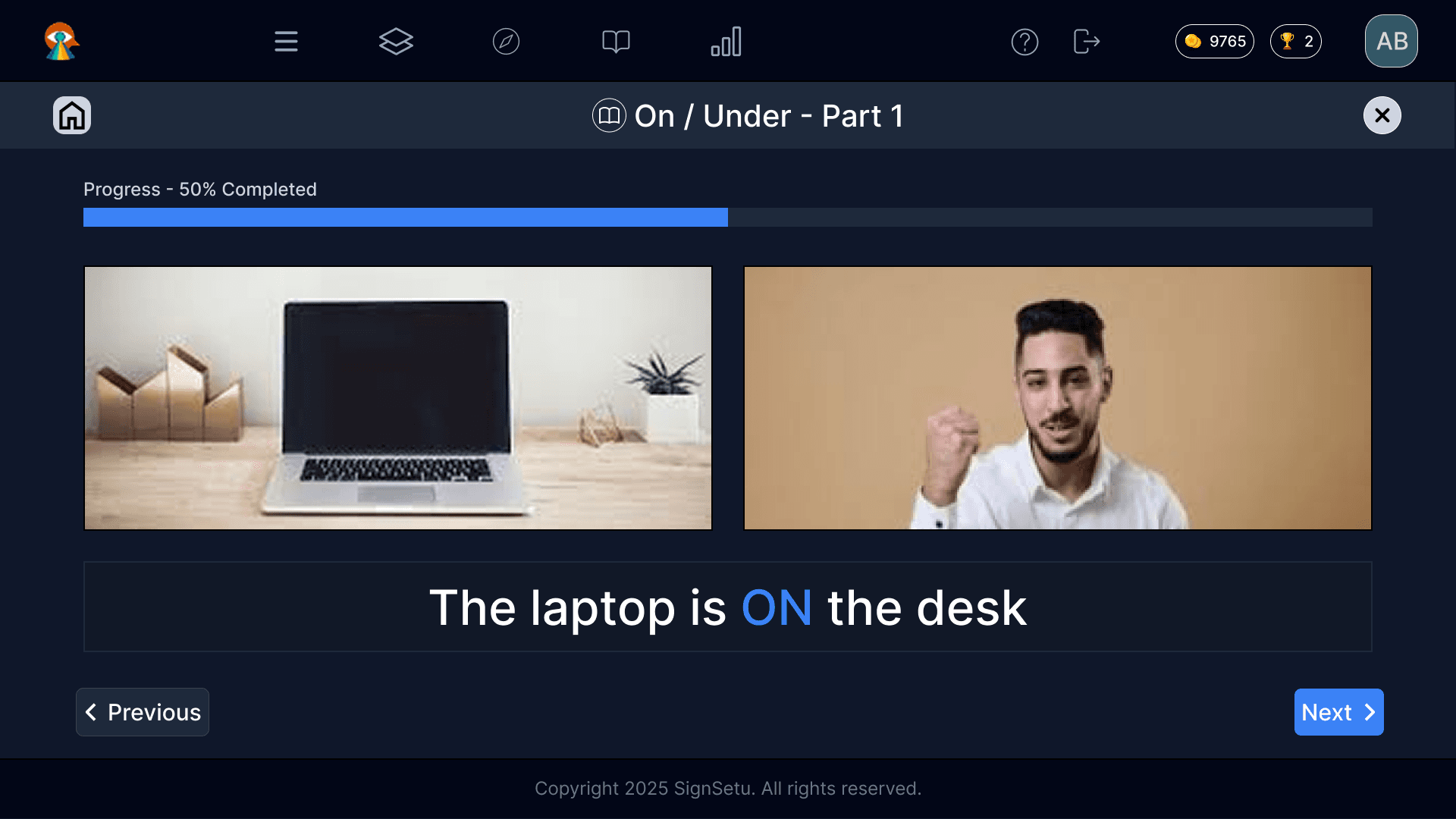
Overview
SignSetu is a sign language learning platform designed to help users build sign vocabulary and sentence structures. In this case study, I redesigned the core lesson interface to shift it from a child-oriented, gamified experience into a focused, mature, and accessible learning environment for deaf adult learners.
The redesign aimed to create a calm, distraction-free lesson workspace that prioritizes visual instructional content—such as sign-language videos and real-world reference imagery—while preserving SignSetu’s core teaching method.
The original interface relied heavily on bright colors, cartoon visuals, and playful gamification, which introduced unnecessary visual noise and reduced the sense of maturity for adult learners. The redesign instead focused on clarity, structure, and content-first reinforcement to better support adult learning and accessibility.
My Role
What I Worked On
- •Audited the existing lesson interface to identify visual, structural, and accessibility issues that made it feel better suited to children than adult learners.
- •Redesigned lesson layouts to reduce distraction, improve focus, and establish a more mature visual language for adult learners.
- •Paired sign-language instructional videos with real-world reference imagery in a side-by-side layout to reduce mental switching and improve concept association.
- •Reduced the visual emphasis of gamified elements like points and trophies so they support progress tracking without competing with the lesson content.
The Problem
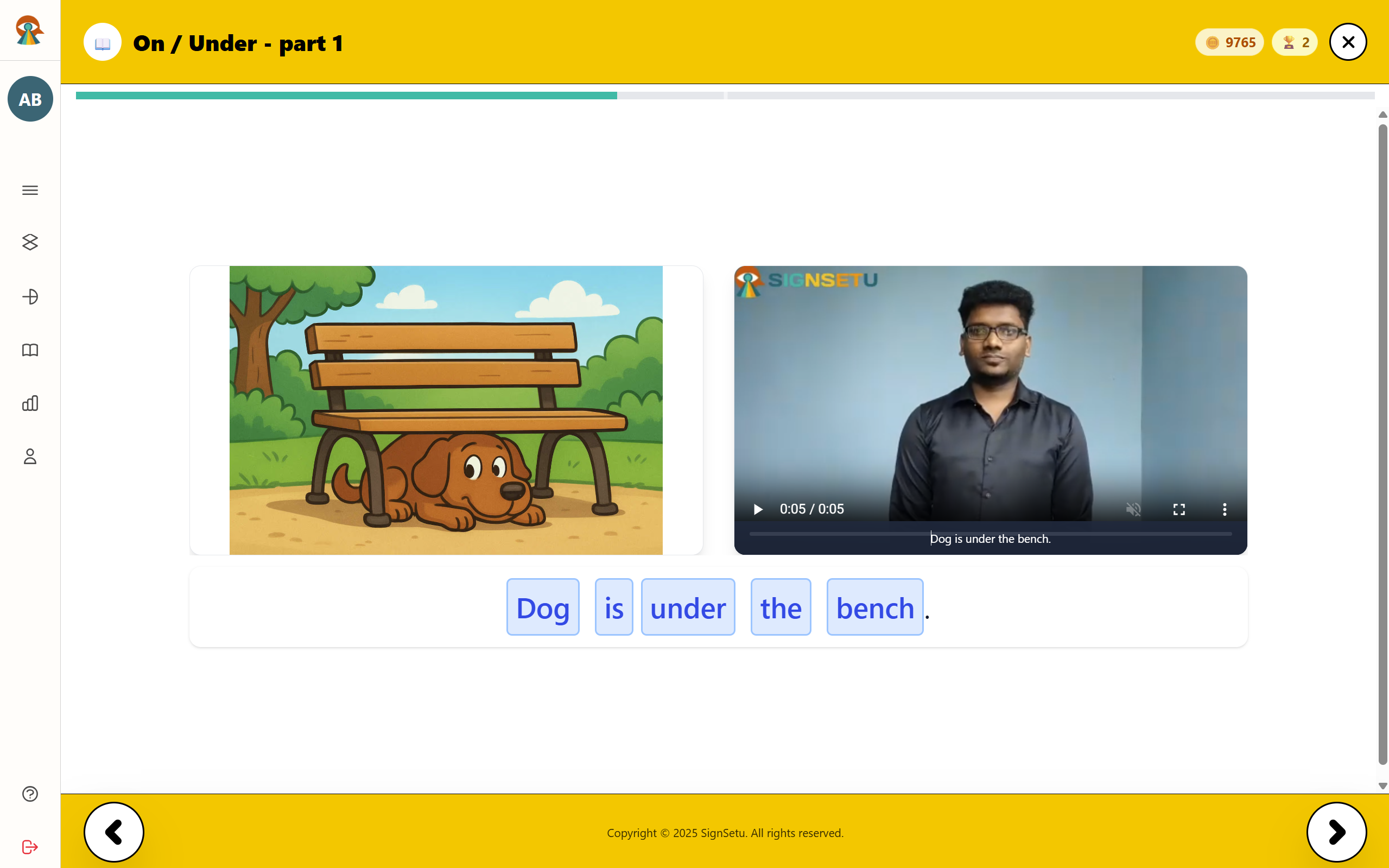
The original interface leaned heavily on a child-oriented visual language—bright yellow UI, cartoon imagery, and gamified word chips—which made the lesson experience feel playful rather than instructional. For deaf adult learners, this introduced unnecessary visual noise, reduced the sense of maturity, and distracted attention away from the core sign-language video and lesson content.
Design Exploration & Final Redesign
To redesign SignSetu’s lesson experience for adult deaf learners, I first analyzed the existing interface, then explored multiple low-fidelity and high-fidelity directions before selecting the final lesson workspace. The redesign process focused on reducing visual noise, improving hierarchy, and building a calmer, more mature lesson flow that keeps attention on instructional content rather than interface decoration.
Original Product Context
The original experience used high-saturation yellow backdrops, cartoon helper graphics, and gamified word chips. This layout introduced substantial visual noise, lacked structural alignment for adult learning, and distracted users from the core instructional videos.
Low-Fidelity Exploration
Two low-fidelity layout directions were explored to rethink the lesson interface for adult deaf learners. The first concept tested a left-rail structure that separated global navigation from lesson content, while the second explored a more simplified top-bar layout with greater emphasis on the lesson title, progress, and side-by-side media blocks. Together, these explorations helped define the final structure for a more focused, mature, and distraction-reduced learning experience.
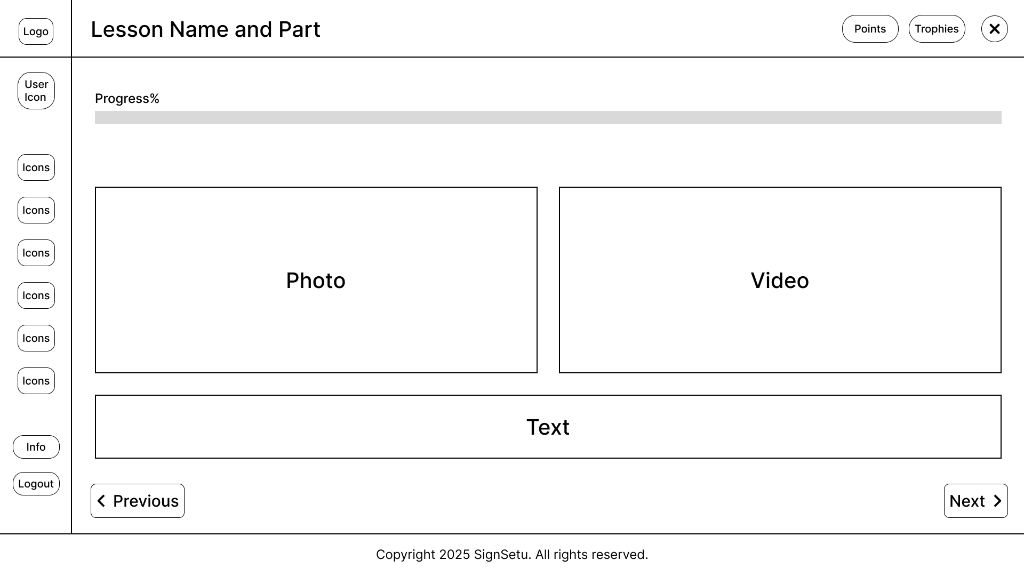
Direction A — Left-rail lesson shell
Separated platform-level navigation from active lesson content to test a structured workspace.
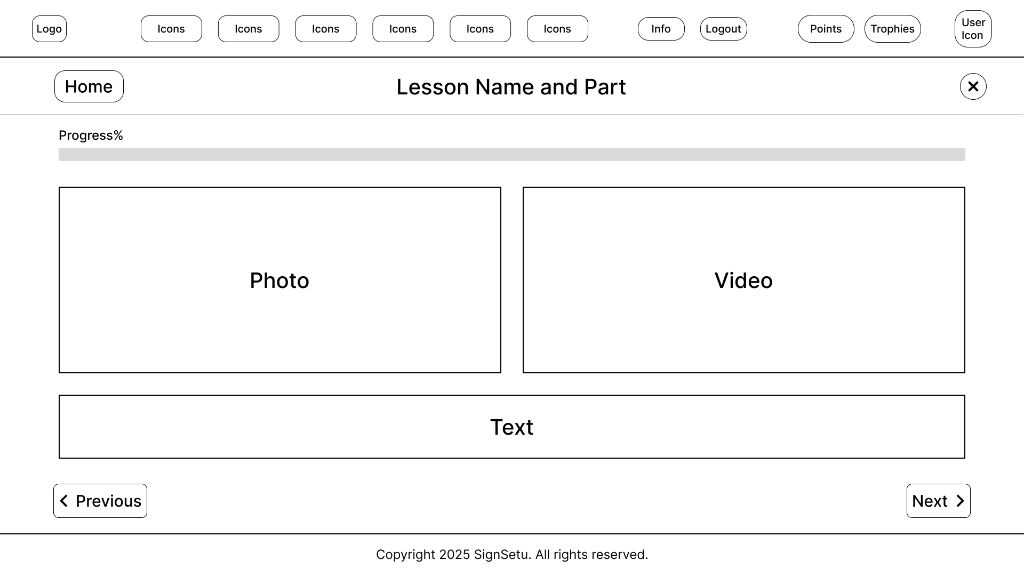
Direction B — Simplified top-bar lesson flow
Minimized global chrome and prioritized lesson progress, media alignment, and sentence reinforcement.
High-Fidelity Directions
Both low-fidelity explorations were then developed into high-fidelity directions to test the visual weight, hierarchy, and focus of the lesson workspace in a dark, low-distraction interface. These screens represent refined design paths explored before selecting the final lesson experience.
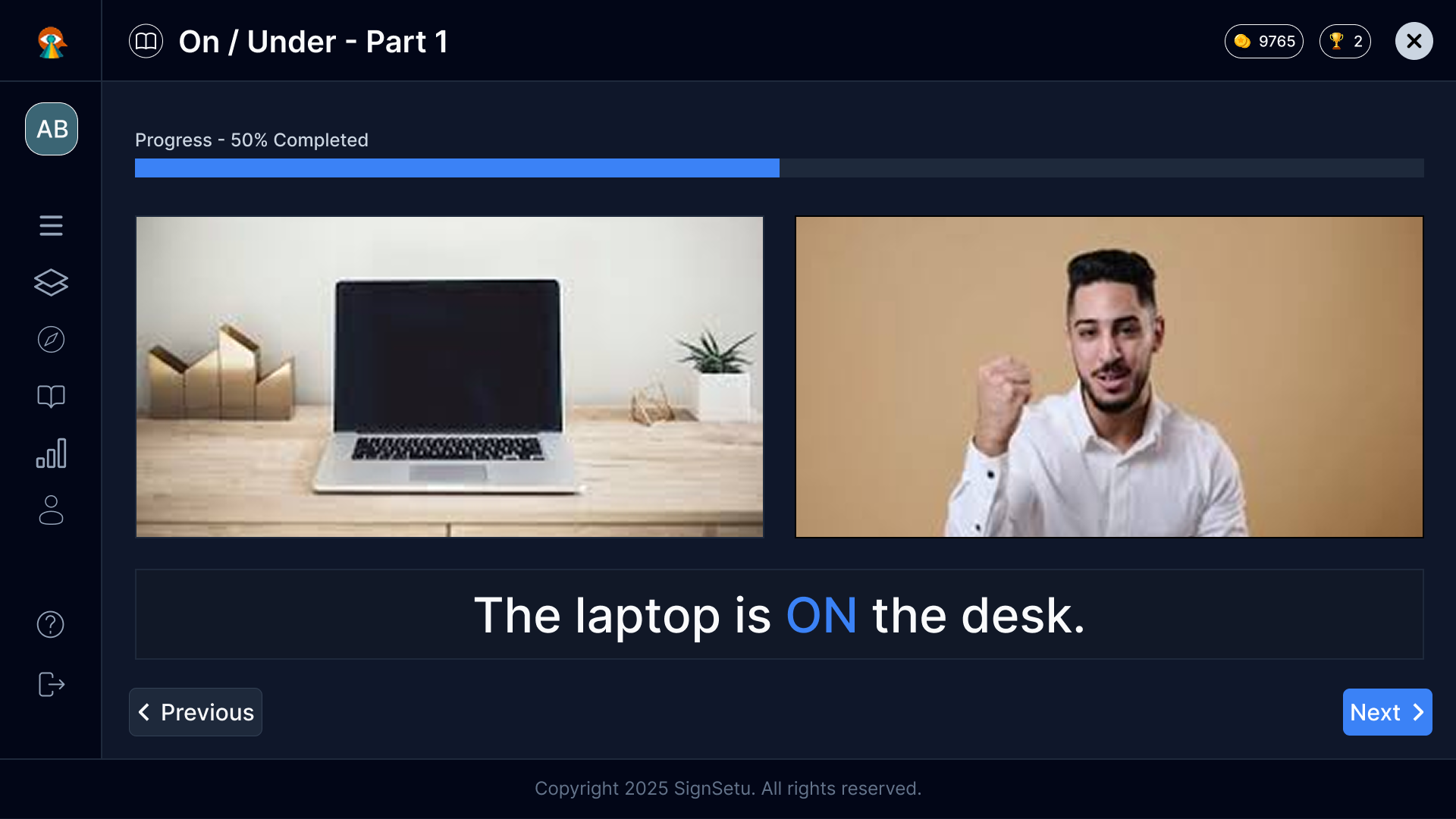
Direction A — Left-rail lesson workspace
Refined the left-rail navigation with structured icon categories, maintaining standard dashboard navigation alongside the active lesson.
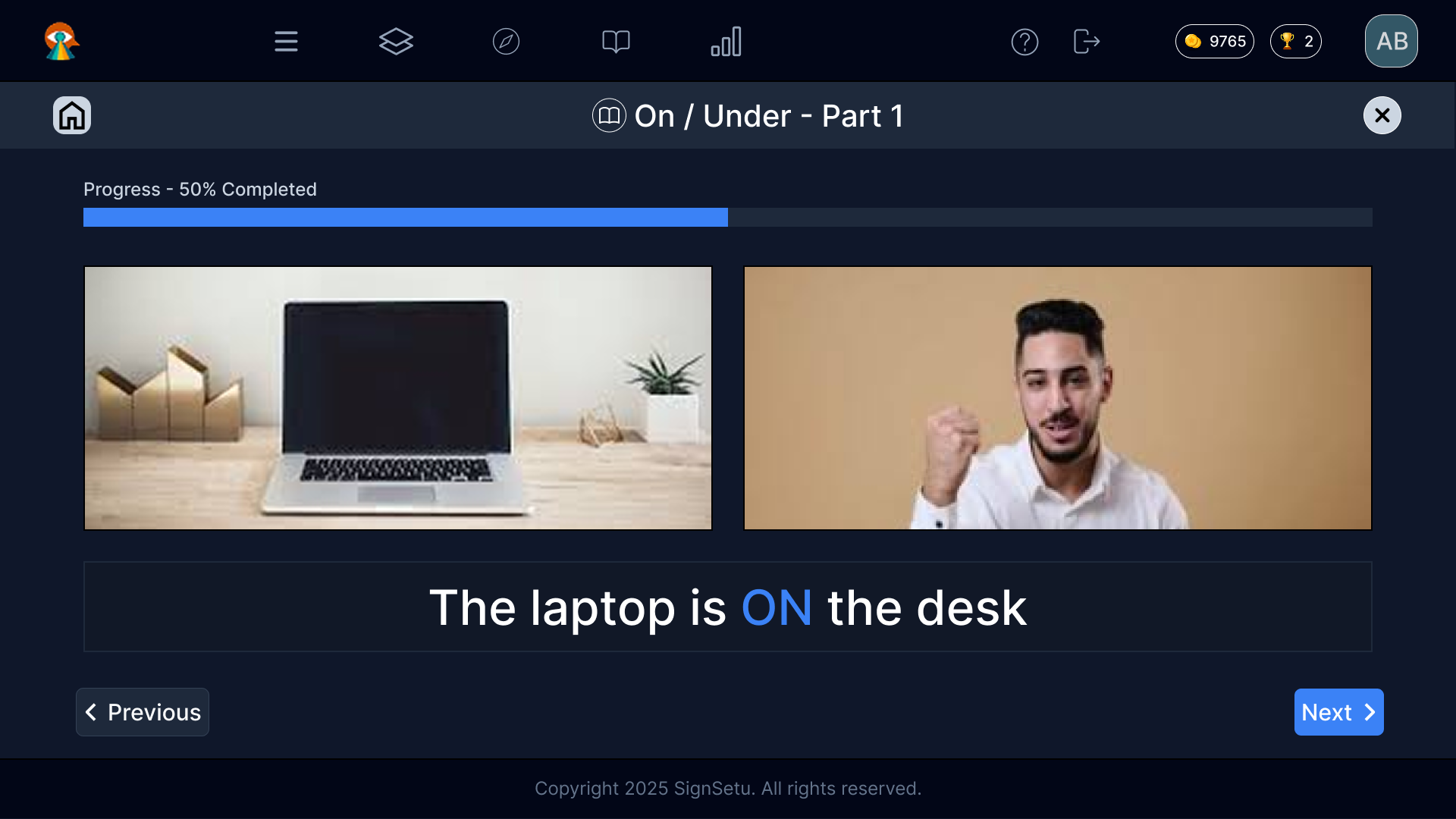
Direction B — Top-bar lesson workspace
Simplified active lesson workspace by moving utilities to a slim header, dedicating maximum screen space to learning materials.
Final Selected Lesson Experience
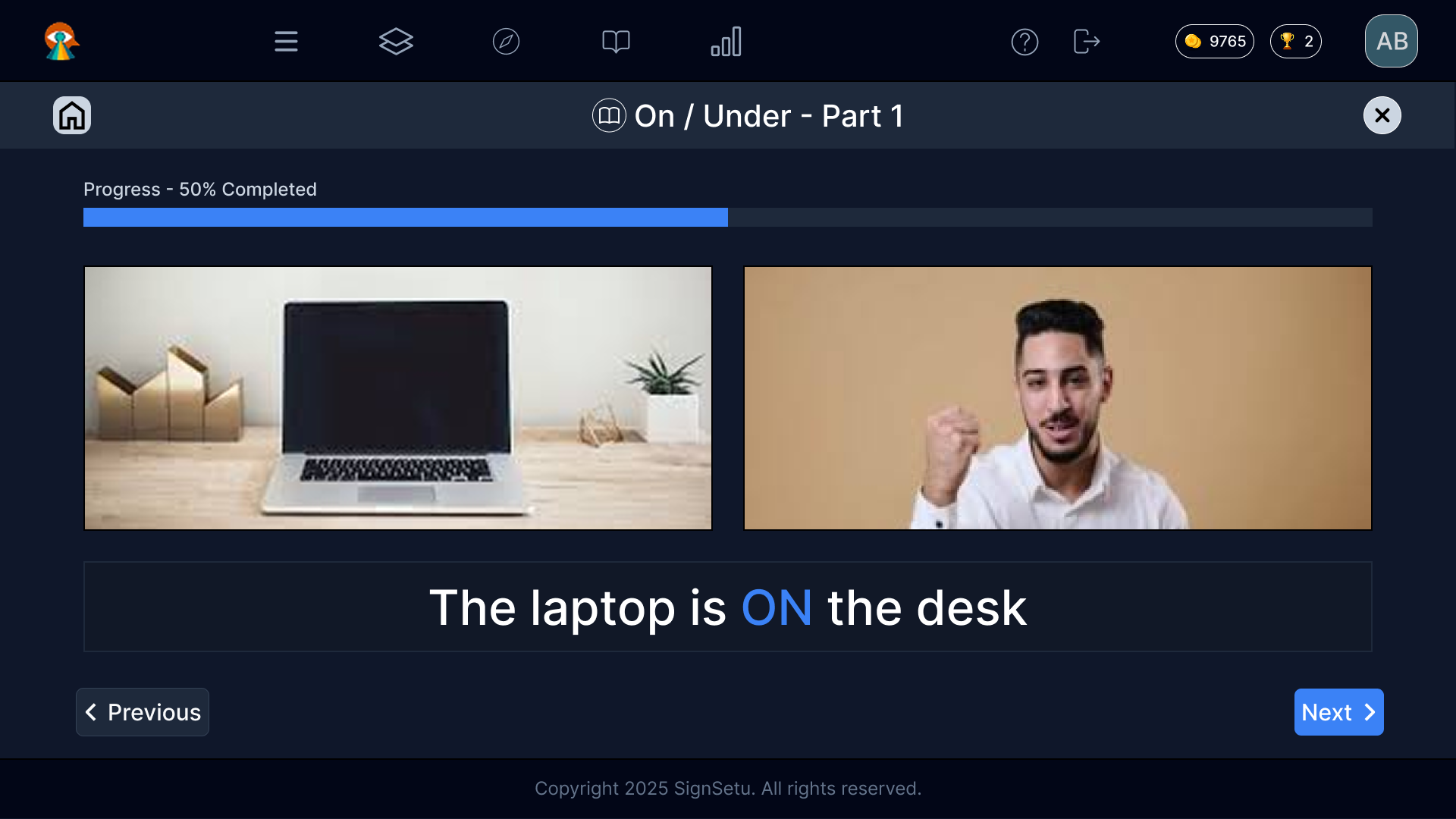
After evaluating both high-fidelity directions, Direction B was selected as the final lesson workspace. Removing the persistent left rail reduced visual competition and allowed the lesson title, progress, sign-language video, and reference image to become the primary focus. This created a calmer, more mature interface that better supports adult learners during active lesson completion.
Outcome & Learnings
By transforming the interface from a child-oriented, game-like layout into a structured and professional lesson workspace, the redesign created a more adult-first and accessibility-aware learning experience. Visual noise was reduced, lesson content became the primary focus, and the relationship between sign-language video, reference imagery, and sentence reinforcement became clearer. The result was a calmer, more mature interface tailored to the needs of adult learners.
Key Learnings
- ✓Visual cognitive load is the primary constraint; extraneous chrome and playful elements compete with instructional sign videos.
- ✓Content pairing (e.g. sign-language video alongside a real-world reference image) is crucial for rapid concept association.
- ✓A mature visual tone builds confidence and respect for adult learners, shifting their mindset from game-playing to active language acquisition.
- ✓Accessibility for deaf users requires structural clarity, calm motion, and clear spacing rather than just high-contrast colors.